How to Create a Meta Campaign and Ad Set on Admanage.ai
Last updated: April 27, 2026
Admanage.ai makes it simple to launch Meta campaigns directly from your dashboard. Follow the steps below to create a campaign from scratch and set up your first ad set.
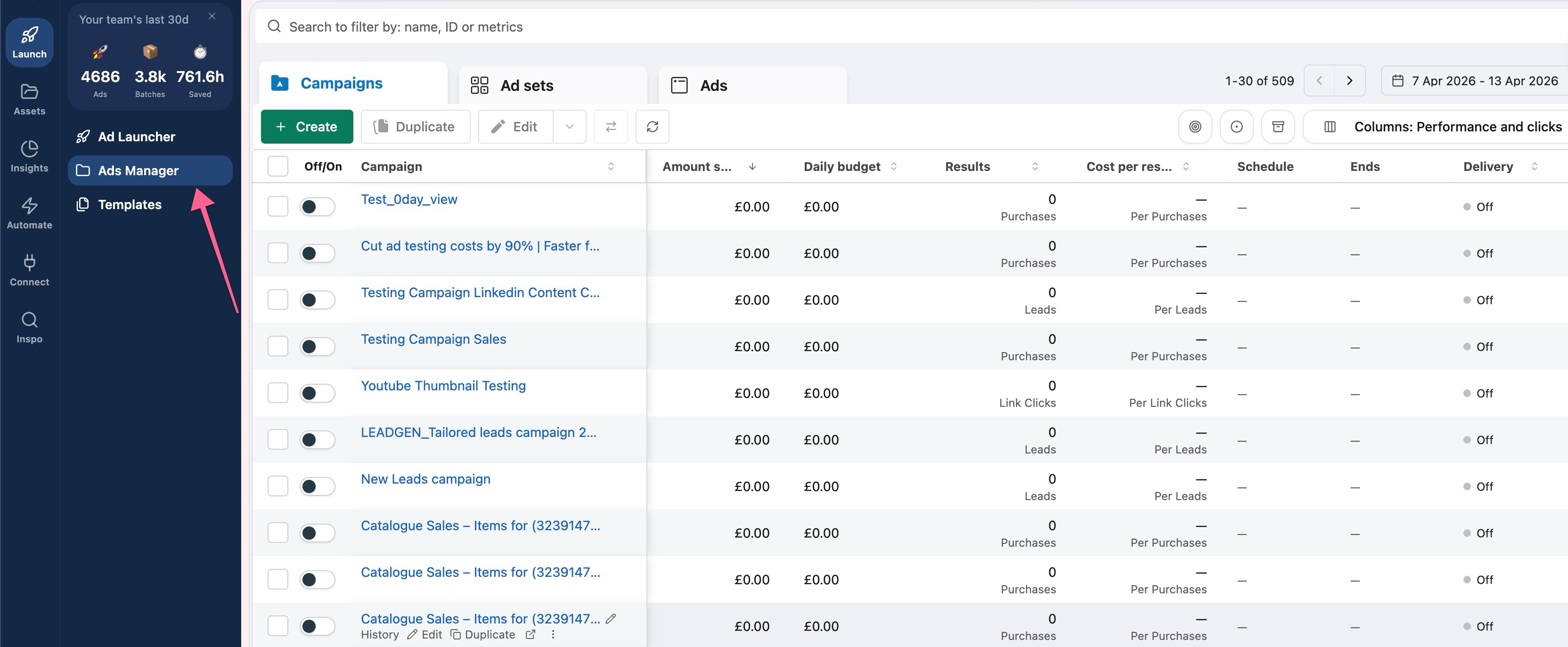
Step 1: Open the Ads Manager
Navigate to the Ads Manager section to get started. You can either:
Go directly to https://admanage.ai/manage, or
• Click the Ads Manager button from your dashboard (see screenshot below).
Step 2: Start a New Campaign
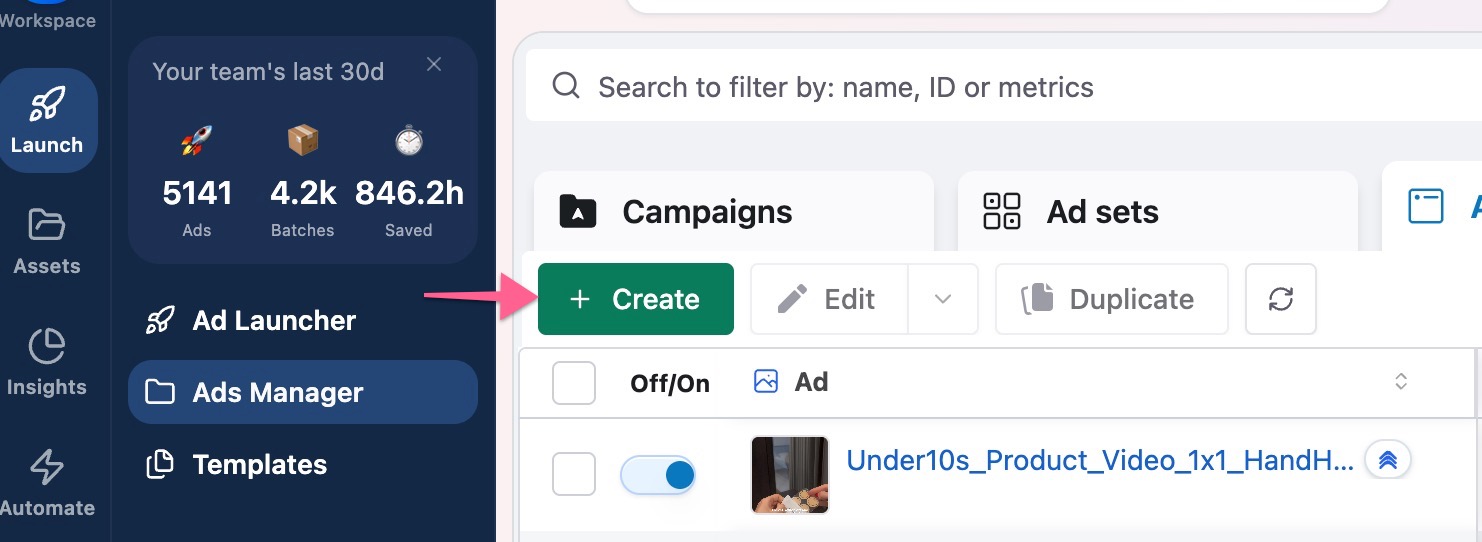
Once you're in Ads Manager, click the Create button to begin setting up your campaign.
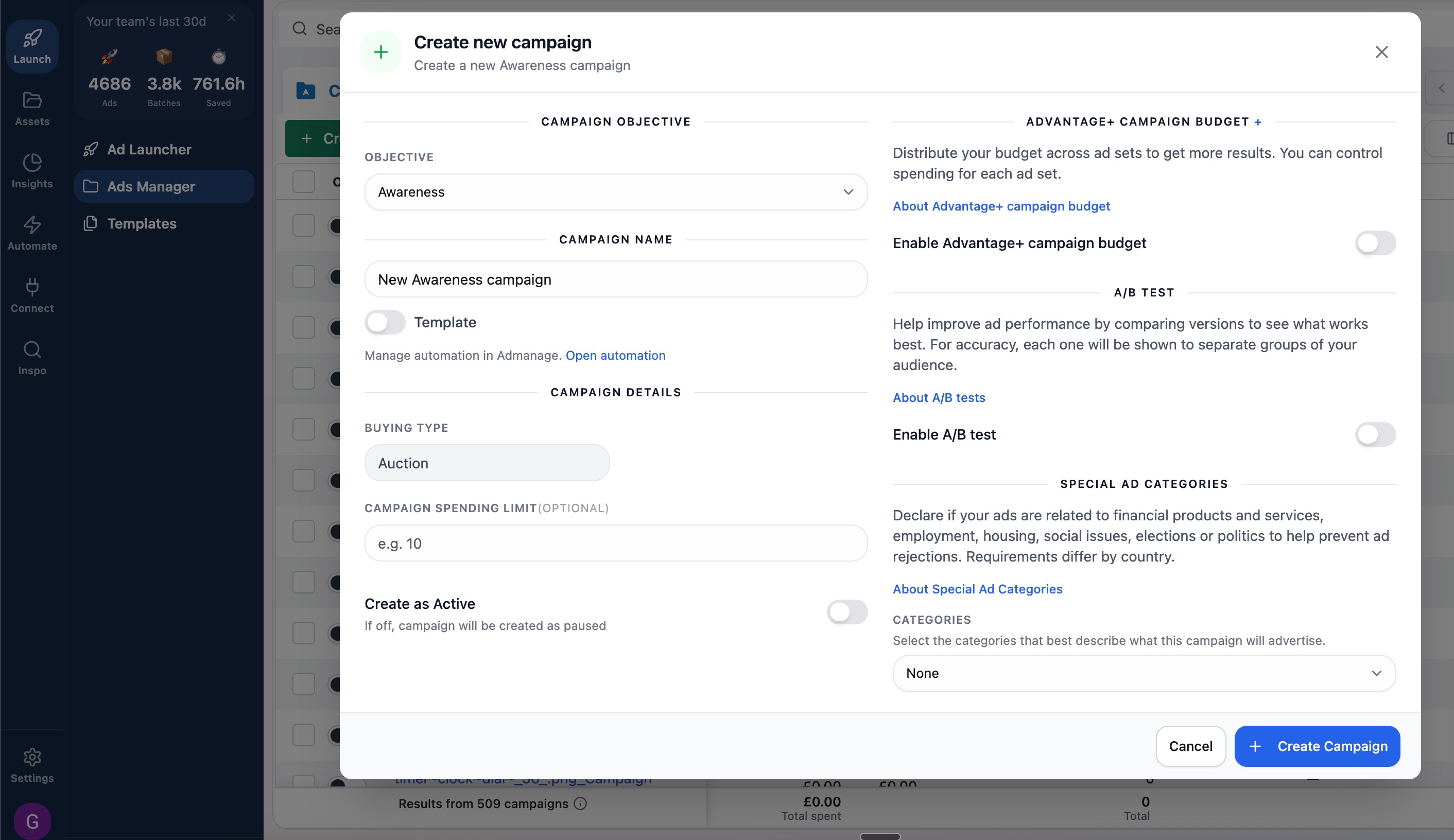
Step 3: Fill in Your Campaign Details
Enter the key information for your campaign, including the campaign name, objective, and any other required fields. Make sure your objective aligns with the
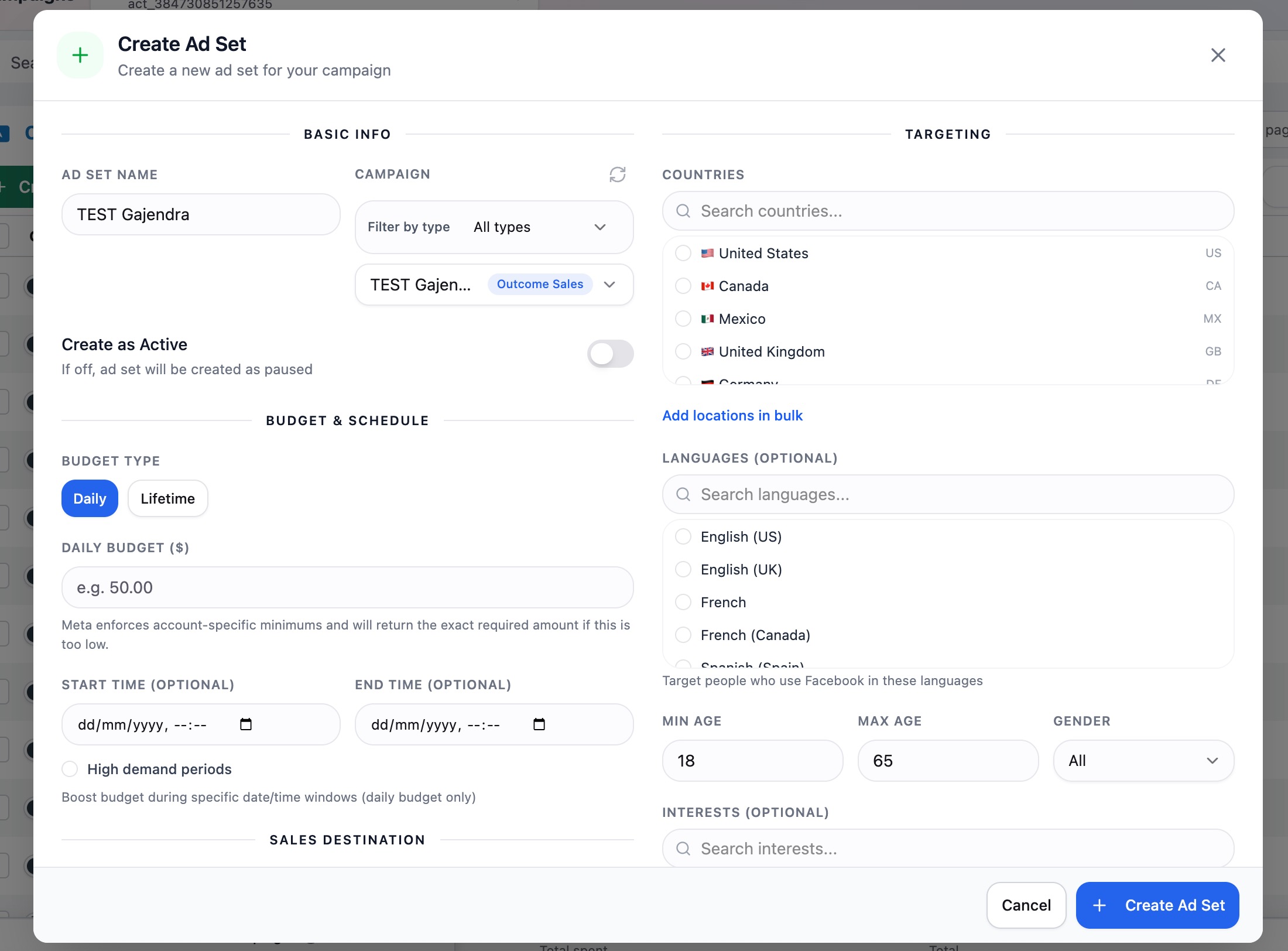
Step 4: Create Your Ad Set
After saving your campaign details, the next step is to build your ad set. Here you'll define your audience, budget, schedule, and placements. This is where you shape who sees your ads and how your spend is distributed.
And you're done! Your campaign and ad set are now ready to move into the creative stage.