How to auto-split large creative launches into multiple ad sets
Last updated: December 2, 2025
Our platform includes a feature that automatically splits large creative launches into multiple ad sets, helping you manage and organize your campaigns more effectively.
Using the Bulk Create Ad Sets Feature
To access this functionality:
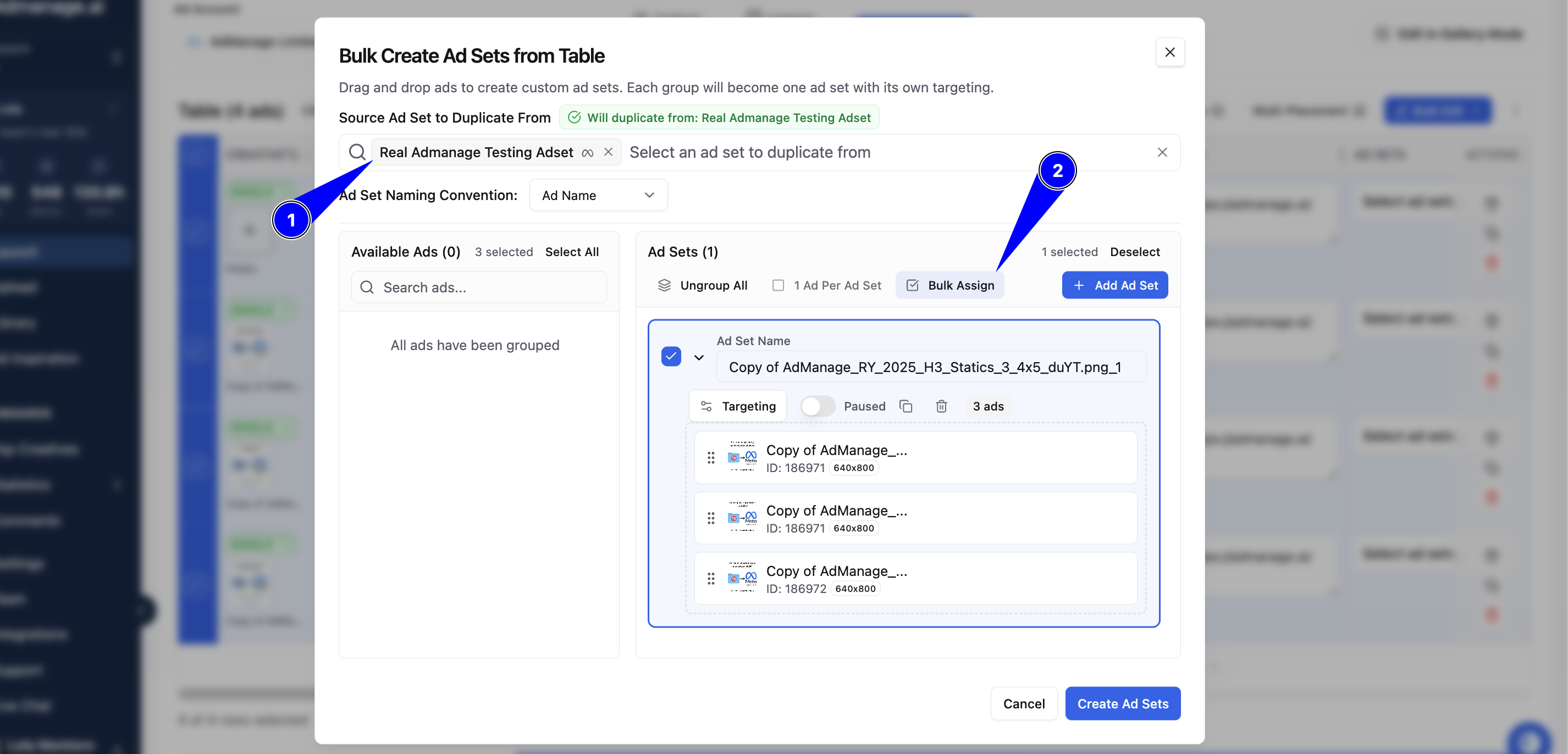
Navigate to the bulk launch section in your dashboard
Use the table mode view
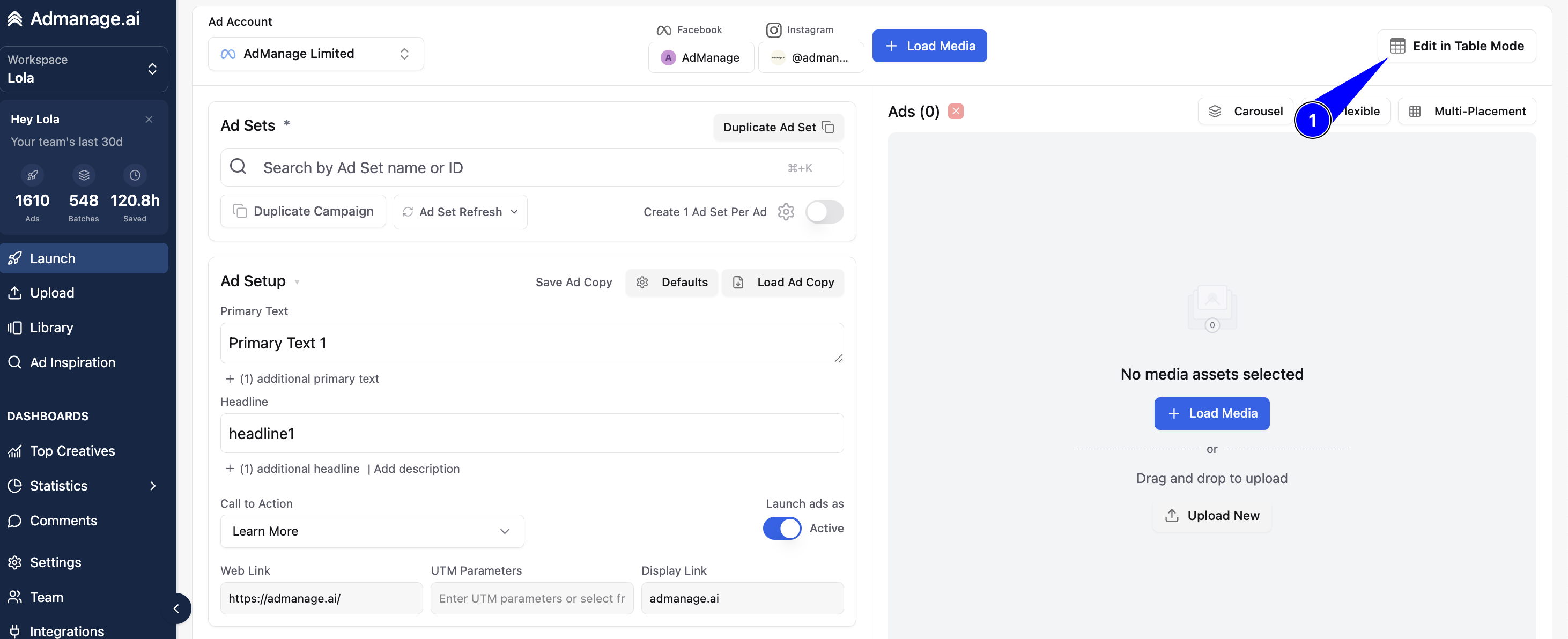
Load your creatives and select all of the rows you want to bulk create AdSets:
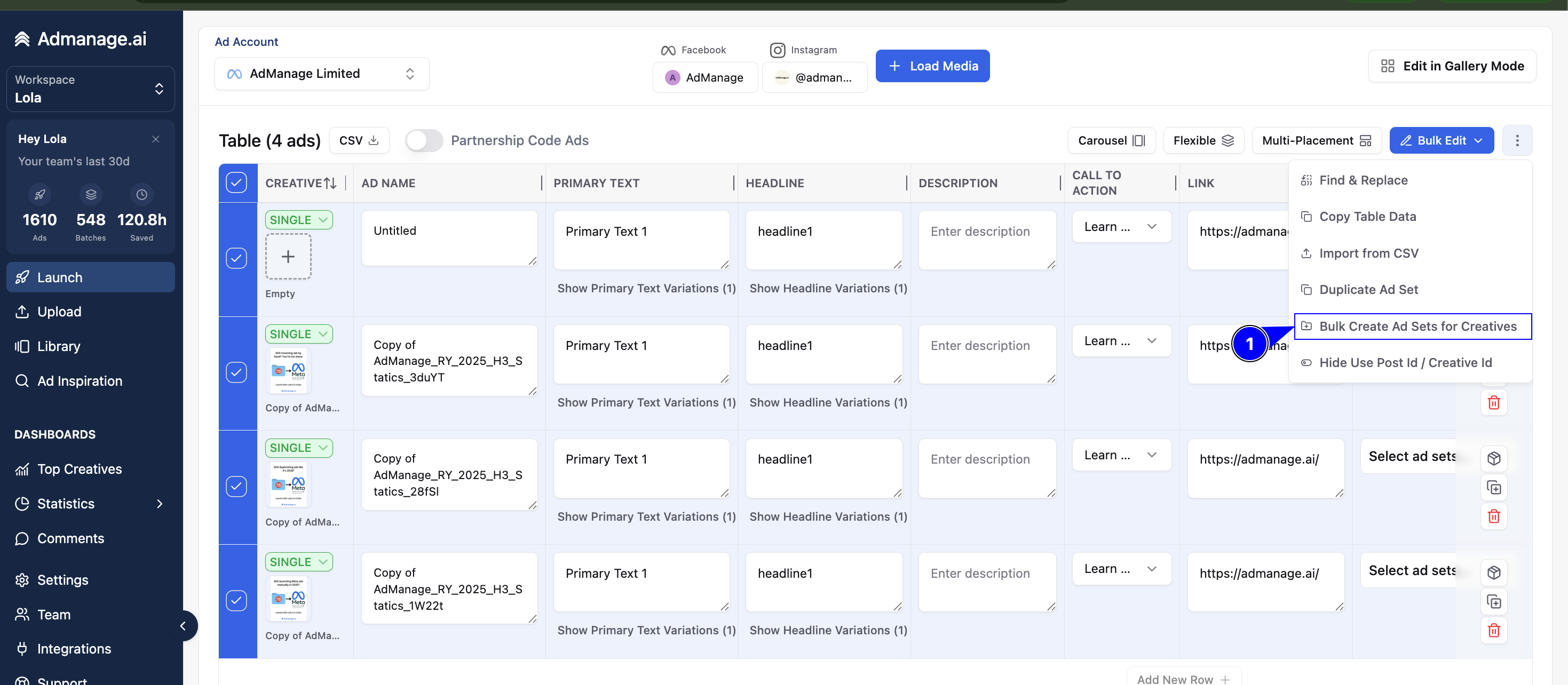
You can select the AdSet you want to duplicate from and go ahead selecting the Ads manually or bulk Assign them: