How to Set Up Your Brand and Workspace
Last updated: October 17, 2025
Setting up your workspace and brand structure correctly in AdManage.ai is the first step towards streamlined ad management. Follow this guide to properly organize your accounts and team.
Creating Your Workspace
A workspace in AdManage.ai acts as the central hub for managing specific brands or clients.
Navigate to the Team Section: In the AdManage.ai interface, locate and click the "Team" section.
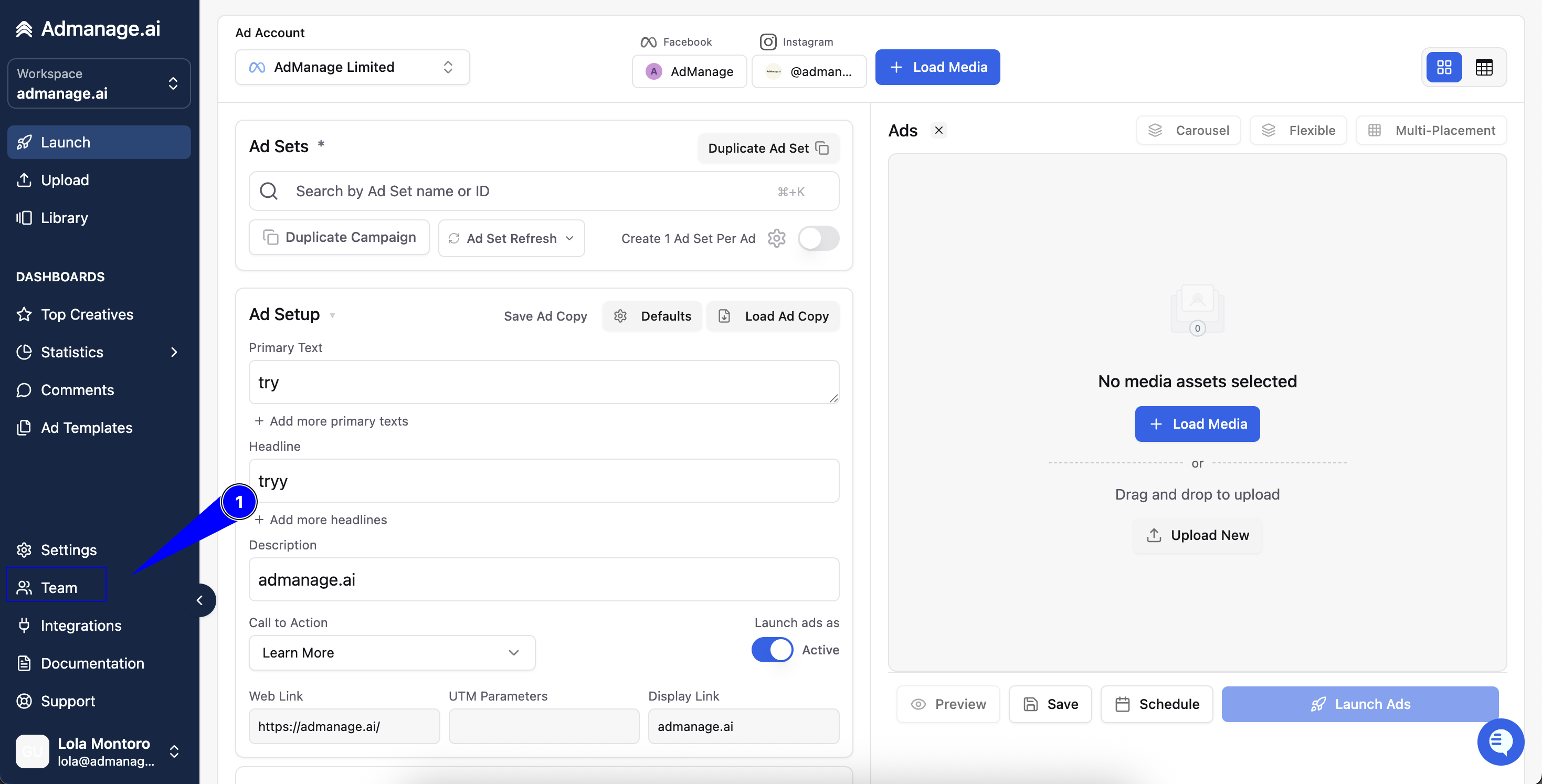
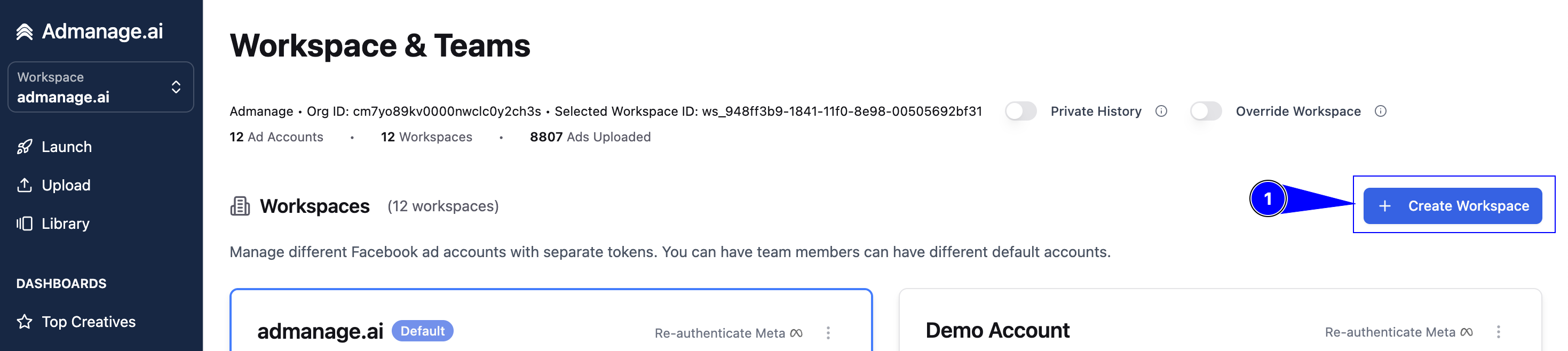
Initiate Workspace Creation: Click the "Create Workspace" blue button, typically located on the upper right side of the page.
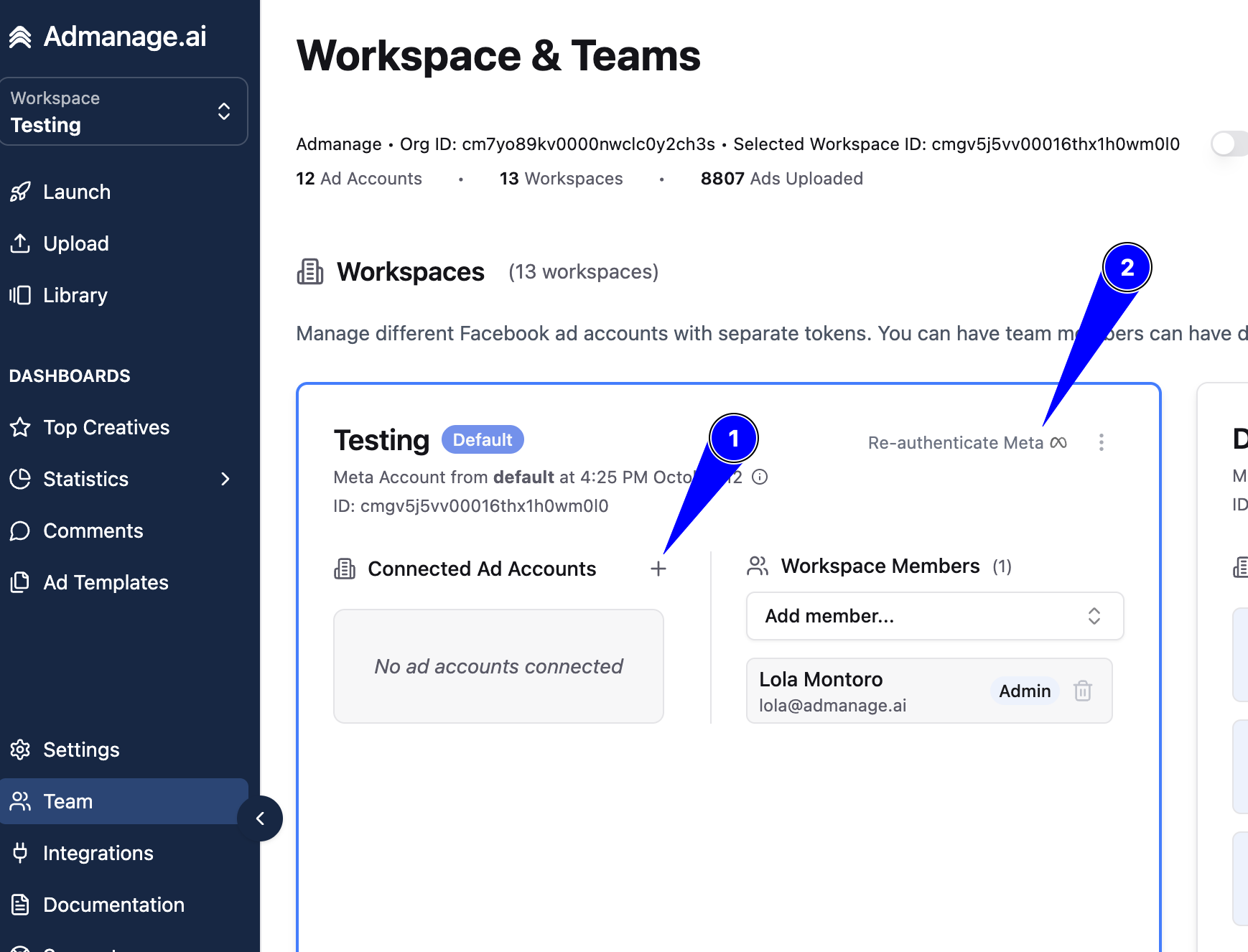
Name Your Workspace: Give your workspace a clear and recognizable name. This can be your brand name or a specific client name.
Connect Ad Accounts: Click the plus button to connect the relevant ad accounts to this new workspace.
Re-authenticate (If Necessary): If prompted, re-authenticate your Meta account. This step ensures AdManage.ai has the proper and current permissions to access your selected ad accounts.
Workspace Organization Options
AdManage.ai offers flexibility for structuring your workspaces based on your business needs:
One Workspace Per Client/Brand: This is the most common and recommended approach for clear segregation.
One Workspace Per Team Member: Useful if you need separate authentication for each team member's set of accounts.
Multiple Accounts in the Same Workspace: Appropriate if you are working on a few related brands simultaneously and want to manage them under one umbrella.
Key Setup Steps
After creating the workspace, complete these critical setup steps:
Authentication: The person who creates the workspace must have access to all the ad accounts you intend to include in that workspace.
Ad Account Connection: Ensure you have added all relevant ad accounts to the workspace.
Invite Team Members: Invite your team and assign the appropriate roles.
Page Selection: Select the specific Facebook pages and Instagram accounts that you will use to launch ads from within this workspace.
Best Practices for Organization
Follow these tips to ensure a smooth and error-free setup:
Maintain Separation: Create separate workspaces for different clients to prevent confusion and maintain strict access control.
Verify Access: Double-check that the authenticator (the person who connected the accounts) has access to all ad accounts within the workspace. This is crucial to avoid "no valid access" errors.
Keep it Tidy: Delete any unused workspaces to maintain a clean and organized AdManage.ai dashboard.