Security, SSO and data processing (DPA)
Last updated: October 30, 2026
Use Enterprise SSO sign-in when your organization has an SSO connection configured. For security documents and the current audit status, use the Trust Center.
How do I sign in with SSO?
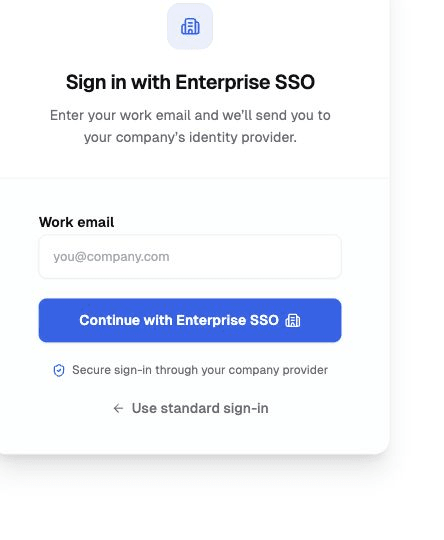
Open Sign in with Enterprise SSO.
Enter your Work email.
Select Continue with Enterprise SSO.
Complete your organization's identity-provider sign-in and any required verification.
The email identifies your organization's configured provider. The existence of the sign-in page does not mean SSO has already been enabled for every workspace. If no connection is found, ask your organization's admin or AdManage support to review setup.
Enterprise SSO is set up through support for Enterprise or a custom agreement that includes it. Your organization admin arranges the identity provider and verifies the required domain/setup details before teammates use the SSO sign-in page.
Where do I find the DPA and subprocessors?
Open the Trust Center resources and Subprocessors. The Trust Center describes DPA availability; contact support if your procurement team needs the agreement or a security assessment.
Request the DPA or a procurement/security questionnaire through Support, using your work email and organization details. Public Trust Center resources are available directly; access to non-public security evidence may require an NDA. Support coordinates the agreement/signing process rather than treating a support chat as a signed DPA.
The current Trust Center states that the SOC 2 Type II audit is in progress. Do not describe AdManage as SOC 2 certified or promise a completed report before it is available. A provider's certification is not automatically AdManage's certification.
Does AdManage support two-factor authentication?
The Trust Center describes MFA through Google or an organization's identity provider when enforced there. Follow your organization's sign-in requirements. A verification requirement on Meta is separate from AdManage login and needs to be completed with Meta.
If a sign-in code does not arrive, check the address, spam folder and whether you are using the expected login method. Request a fresh code through the normal sign-in flow and use the latest one. Never share passwords, one-time codes or recovery codes with support.
How do I change notifications or organization details?
Open User settings to review email-notification preferences. Transactional support or security messages can differ from marketing subscriptions.
For organization-name, login-email, ownership or account-reactivation changes, ask support which setting needs changing. Updating an invoice contact does not change your login or organization ownership.
Quick answers
Does every plan include SSO? SSO is arranged for Enterprise or an eligible custom agreement.
Where is the subprocessor list? Trust Center → Subprocessors.
Is the SOC 2 audit complete? The current Trust Center says it is in progress.
Should I send my verification code to support? No.