Launch templates, naming conventions, UTMs and tracking
Last updated: October 30, 2026
Launch defaults and templates help you reuse ad setup, naming and tracking. Check the final ad rows after loading a template because row values and existing-post settings can differ from account defaults.
How do I save a naming template?
Select the ad account in Launch.
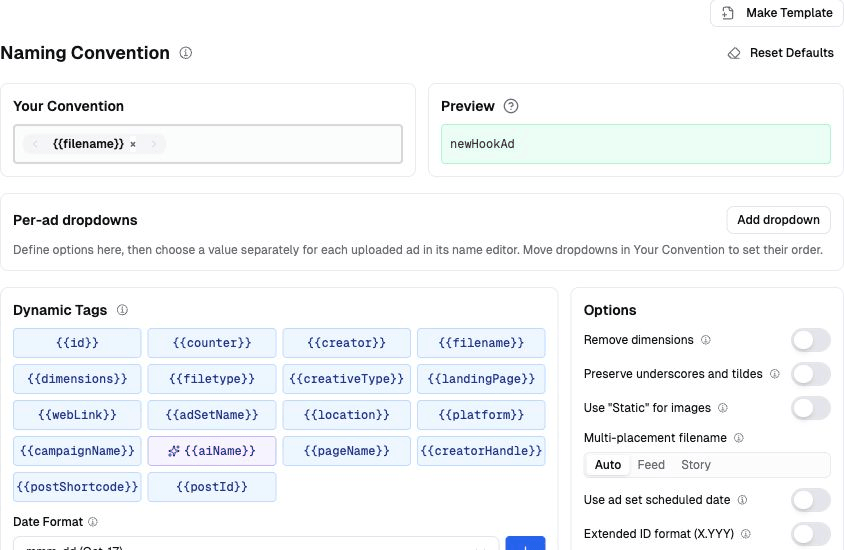
Open its ad setup settings and configure Naming Convention and the copy defaults you want to reuse.
Select Make Template.
Enter Template Name, review the settings and choose Save Template.
The resulting Ad Setup template contains the current naming convention and ad-copy defaults. Use a name that helps your team identify the intended account and purpose.
A template is a starting point. After applying it, inspect the primary text, headlines, links and naming output on the ads you will launch. Changing a saved template should not be treated as a bulk edit of ads already live.
How do UTMs work?
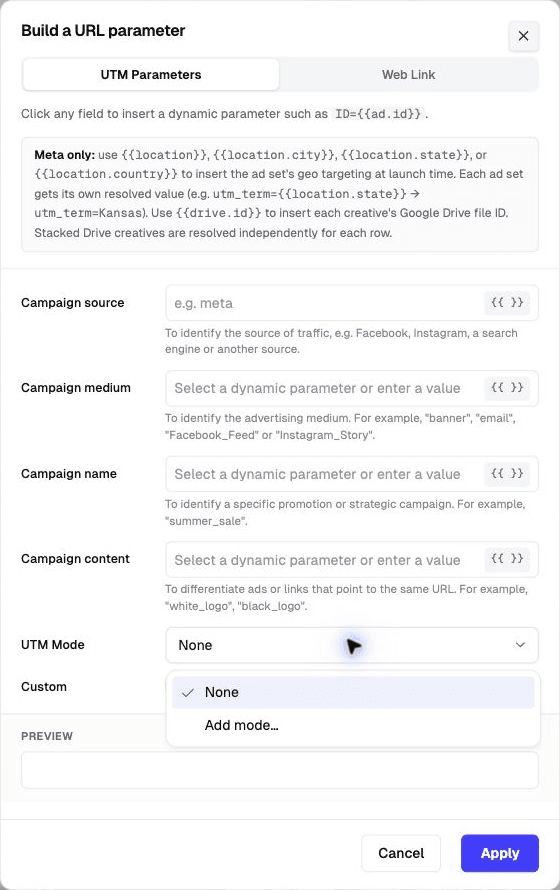
Set URL tags in the launch settings or relevant table columns. Keep the destination website URL separate from the tracking parameters. Review the combined destination to avoid duplicate question marks, repeated parameters or a missing landing-page path.
The UTM Mode selector updates the utm_mode parameter. Choose an existing value, None to remove that parameter, or Add mode… to save another option for the selected account. Removing UTM Mode does not remove every other UTM tag.
If different rows need different links or tracking, review the row-level values rather than relying only on the global default.
Where do I set attribution defaults?
The Default attribution window control prefills Meta ad-set creation and duplication. When off, the flow uses Meta's account default or the source ad set as appropriate.
Available presets include 7-day click, 1-day engage, 7-day click only and 7-day click, 1-day view. A setting used for new ad-set creation is different from the attribution window used to display a report. It does not rewrite existing ad sets merely because you changed the default.

What about pixels and creative settings?
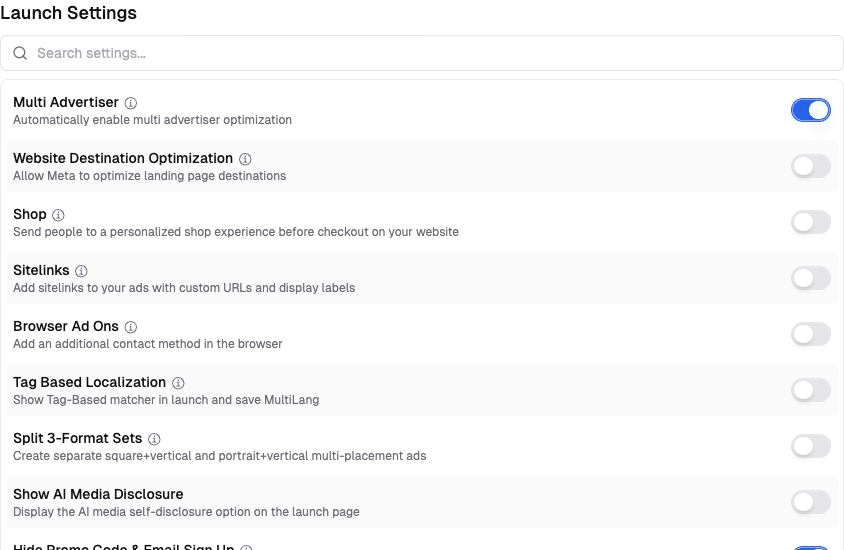
Choose a pixel/dataset available to the destination account and suitable for the campaign objective. Review creative enhancements and AI-media disclosure separately; a naming or UTM template does not replace those checks.
When switching accounts, confirm the identity, pixel, template and selected ad sets again. Account-specific defaults may differ between workspaces.
Quick answers
Where is Make Template? In the naming/ad setup settings for a selected account.
Does None remove all tracking? In UTM Mode, it removes that parameter only.
Will changing defaults update live ads? Use the relevant live-edit workflow for existing ads.
Are reporting and ad-set attribution the same control? No, review them separately.