YouTube uploads and the daily upload quota
Last updated: October 30, 2026
A YouTube upload can be waiting for processing, blocked by channel permission, or limited by an upload quota. Read the exact message before retrying; those states need different fixes.
How do I prepare a YouTube upload?
Open the YouTube/Google connection from Integrations.
Authorize the intended channel and check the owner/manager permissions.
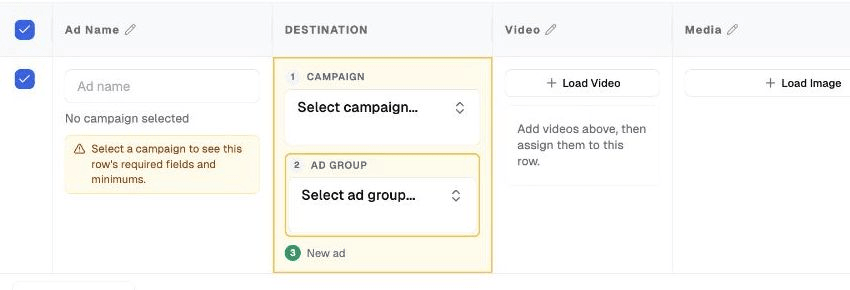
In Launch or the relevant Google Ads workflow, select the destination and add the media.
Review the upload destination, title, privacy/publishing choices and channel.
Wait for YouTube processing before expecting the video to be ready for an ad.
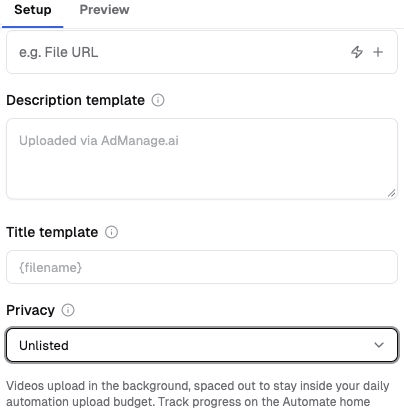
In an automation, choose Google Ads → Upload to YouTube. Review Destination, Channel, the optional playlist/video source, title and description templates, and Privacy before saving or enabling it. Uploads run in the background and progress appears on the Automate home page.
Some upload flows offer your connected channel and an ad-storage destination as separate choices. Read that choice carefully; uploading to ad storage is not the same as publishing on your brand's channel.
Why can a manager browse but not upload?
API upload permissions can differ from what a person can do in YouTube's own interface. Use the owner-authorization flow when offered, or ask the channel owner to complete the required authorization. Reconnecting after the permission change may be necessary.
Do not exchange passwords or use someone else's verification code to authorize a channel.
Which quota did I reach?
The message can refer to a channel/account limit, an AdManage/Google project limit shared across users, or pacing for automation uploads. Those are different scopes. A busy manual upload day and an automation's configured allowance are not a single universal per-user daily quota.
Quota and pacing settings can change. Follow the current error's retry/reset guidance rather than assuming a fixed upload count from an older support reply. Repeated retries before the quota resets do not create more capacity.
For automatic uploads, inspect the queued job and its next retry state. A waiting or rescheduled job is different from a permanently failed file.
Why is the video uploaded but the ad not ready?
YouTube may still be processing the video. An upload response or thumbnail placeholder does not prove the video is ready for Google Ads. Check processing status and then the launch batch result. Avoid uploading duplicate copies while the original is still processing.
Not every Google campaign type supports the same create/edit operations. Use the destination campaign's current workflow and API reference for supported fields and limits.
Quick answers
Is a quota error always my channel's limit? No, inspect its scope.
Will reconnecting reset a quota? No.
Does uploaded mean ready for ads? Wait for processing to finish.
Can support guarantee a quota increase? The platform decides increases and timing.