Launching Lead Ads with Meta Instant Forms in AdManage.ai
Last updated: October 24, 2025
AdManage.ai fully supports the creation and scaling of lead ads by integrating directly with Meta’s Instant Forms feature. While AdManage does not create the forms, it makes it simple to attach existing forms to your lead generation campaigns.
How Lead Form Integration Works
When setting up a new lead generation campaign, the process is largely automated:
Automatic Detection: When you select an ad set that is configured for the lead generation objective, AdManage automatically detects this setting.
Form Section Display: A dedicated blue section will appear in the launch interface, specifically for managing your lead forms.
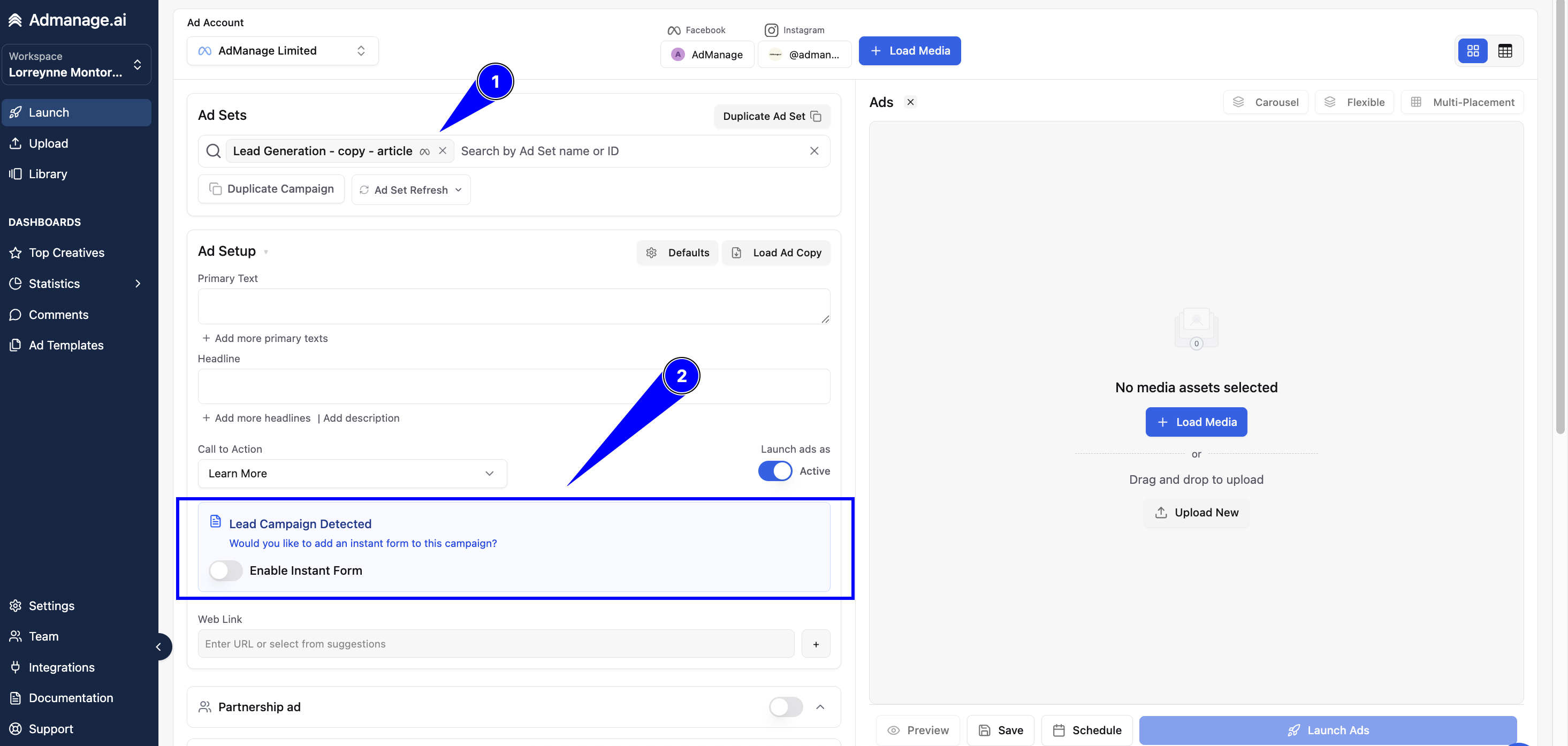
Steps to Attach an Instant Form
Load Forms: Click "load lead forms" within the blue section to pull available forms from your Meta account.
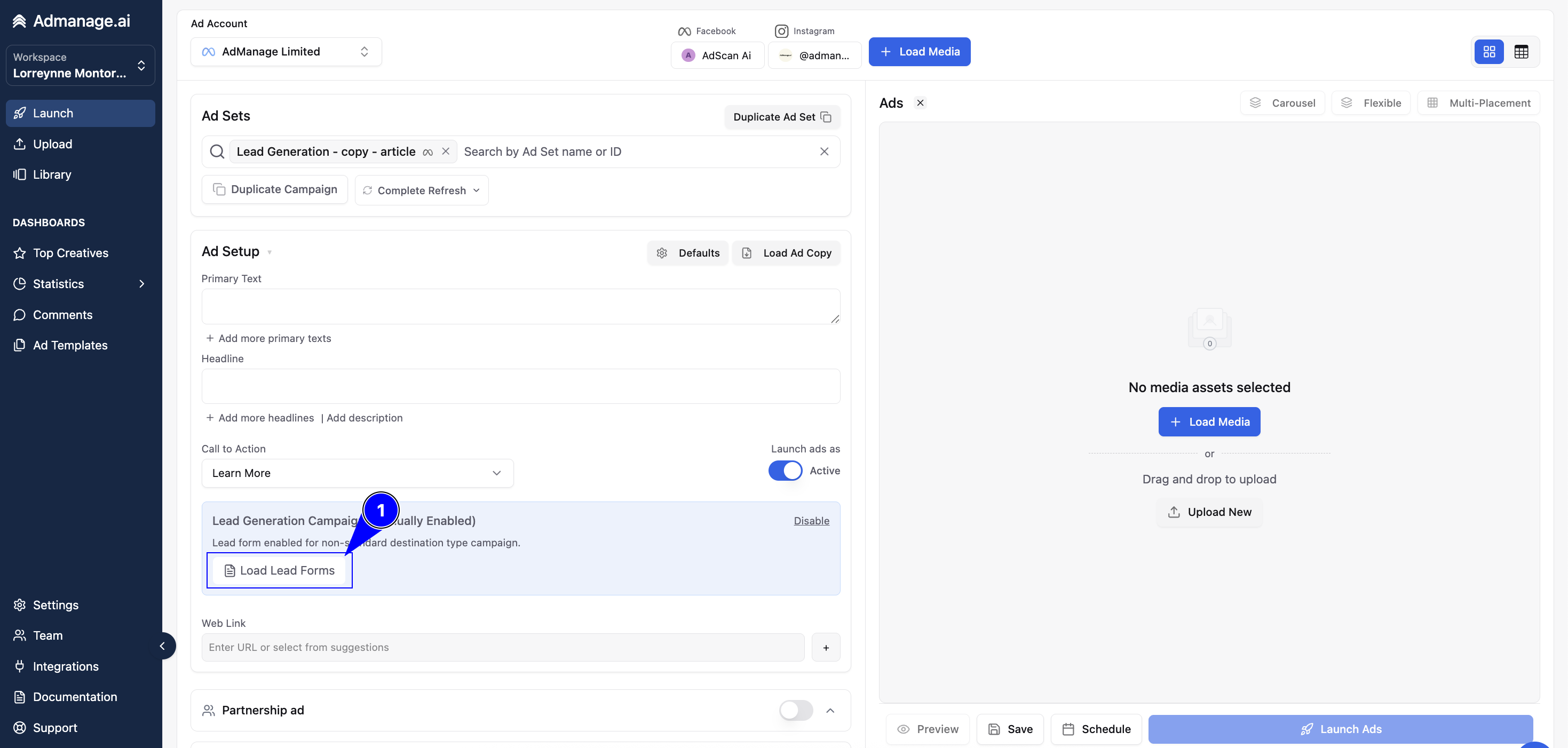
Select Form: Choose the appropriate specific lead form from the list of available forms in your account.
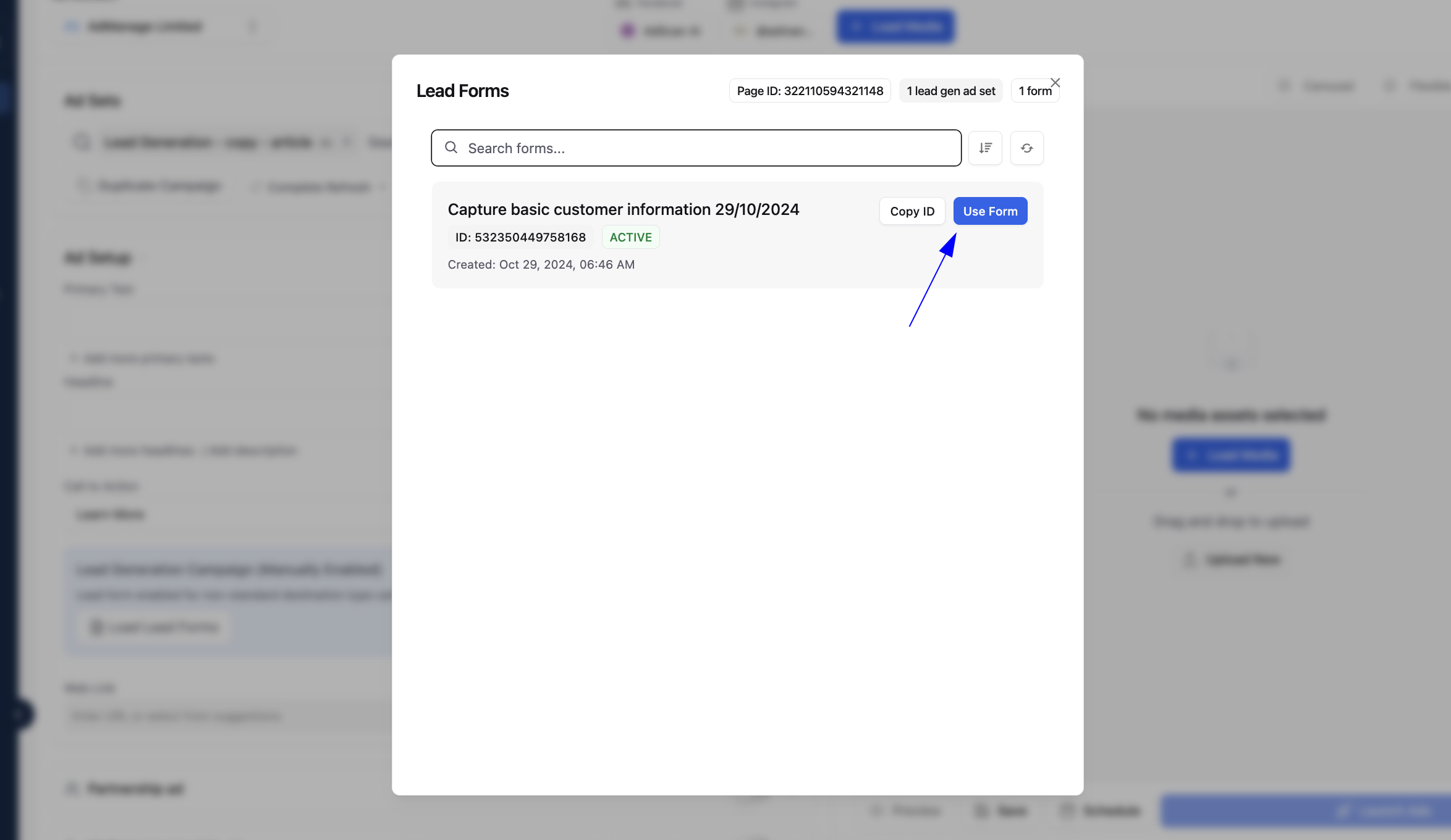
Default Selection: If you do not manually select a form, the system has a smart default: it will automatically look at the top ad in the chosen ad set and retrieve the Instant Form from that ad to use as the default.
Important Notes
Aspect | Detail |
Form Creation | You must create the Instant Forms first within Meta Ads Manager. AdManage is designed to detect and attach existing forms, not create new ones. |
Troubleshooting | f you encounter any technical problems, the AdManage team is active in addressing and resolving these issues. |
This seamless integration ensures you can quickly launch and scale your lead ads while relying on the established Instant Forms you've already created.