Launch Ads on Pinterest
Last updated: March 5, 2026
Launching ads on Pinterest through the AdManage platform follows the same workflow used for other major channels like Meta and TikTok.
Step 1. Integration and Selection
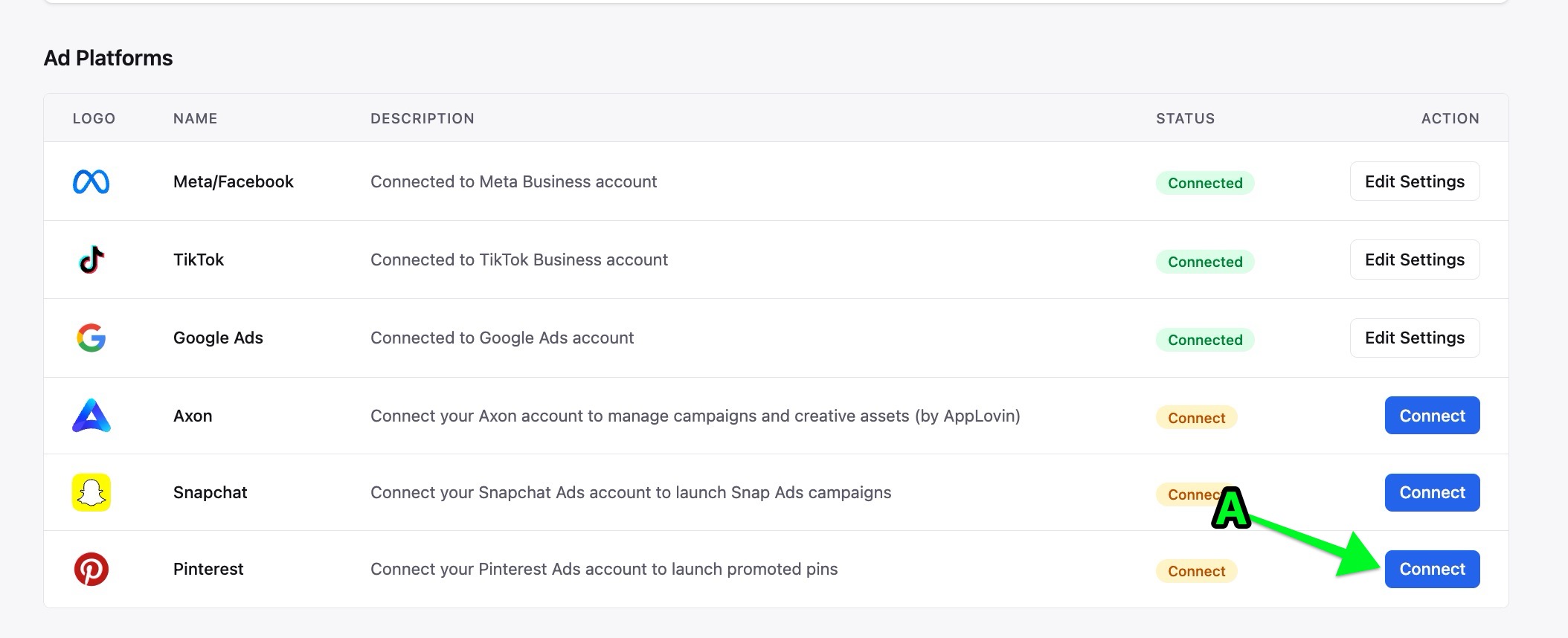
Connect the Account: First, you must connect your Pinterest ad account to your workspace via the Integrations settings. Settings > Integrations
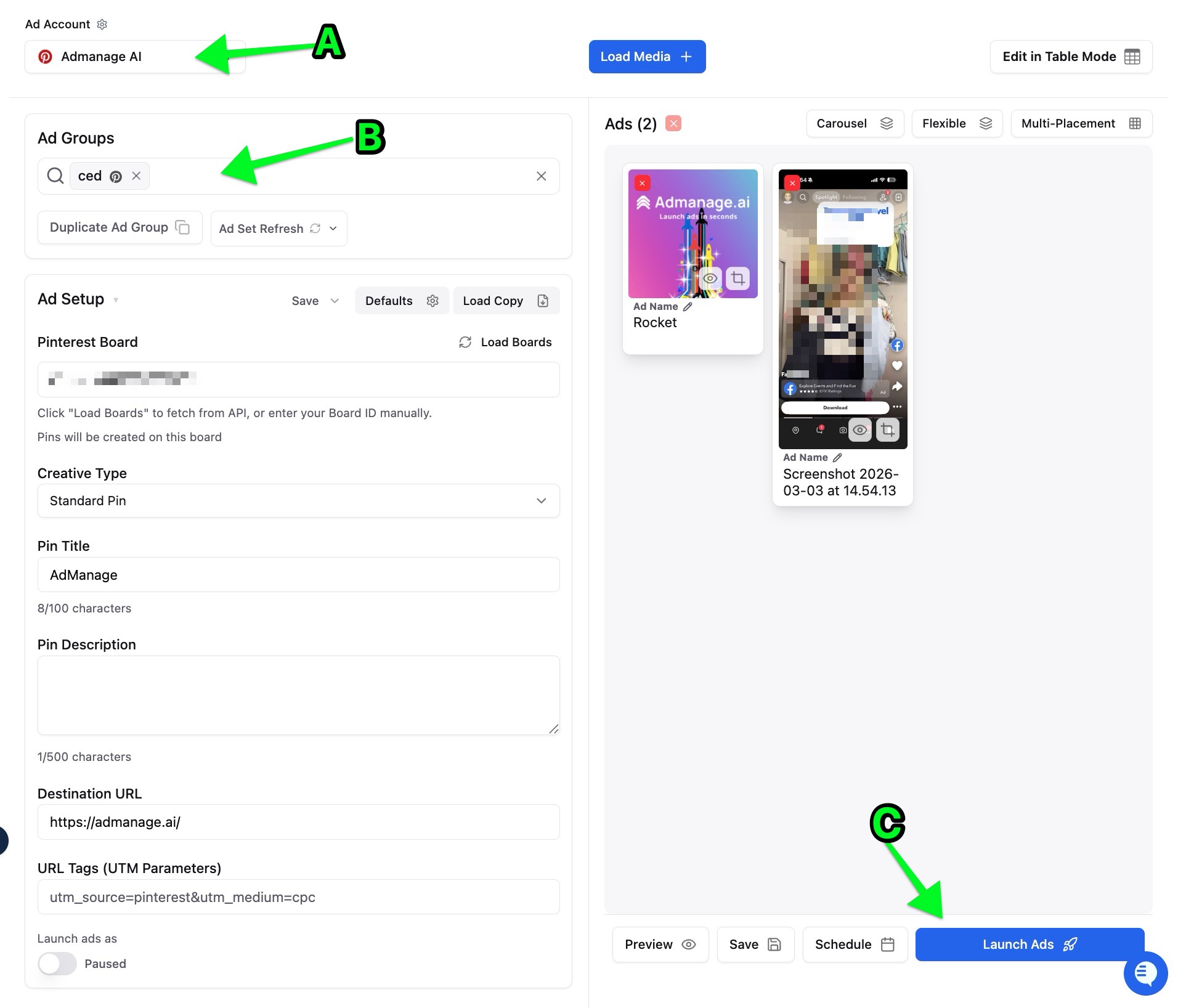
Select the Channel: Use the channel selector at the top of the platform to switch to Pinterest.
Step 2. The Launch Process
Select or Duplicate an Ad Group: Choose an existing Pinterest campaign or ad set to launch into. You can also duplicate an existing ad set to serve as a "shell" with your pre-configured targeting and budget settings.
Load Media: Upload your creative assets from your computer or pull them directly from integrated cloud storage like Google Drive. The platform supports both static images and video ads for Pinterest.
Review your ad details and click Launch.
If you encounter any issues during the Pinterest launch process, the support team can help troubleshoot specific problems like board permissions or authentication errors.