Comments section not refreshing: how to sync latest Meta comments
Last updated: February 13, 2026
If new comments are not appearing in the Comments section, use this checklist to resolve it quickly.
Why this happens
The comments feed can look stale when real-time subscription is not enabled, when the wrong filter is selected, or when manual refresh does not include the ads you expect.
Steps to fix
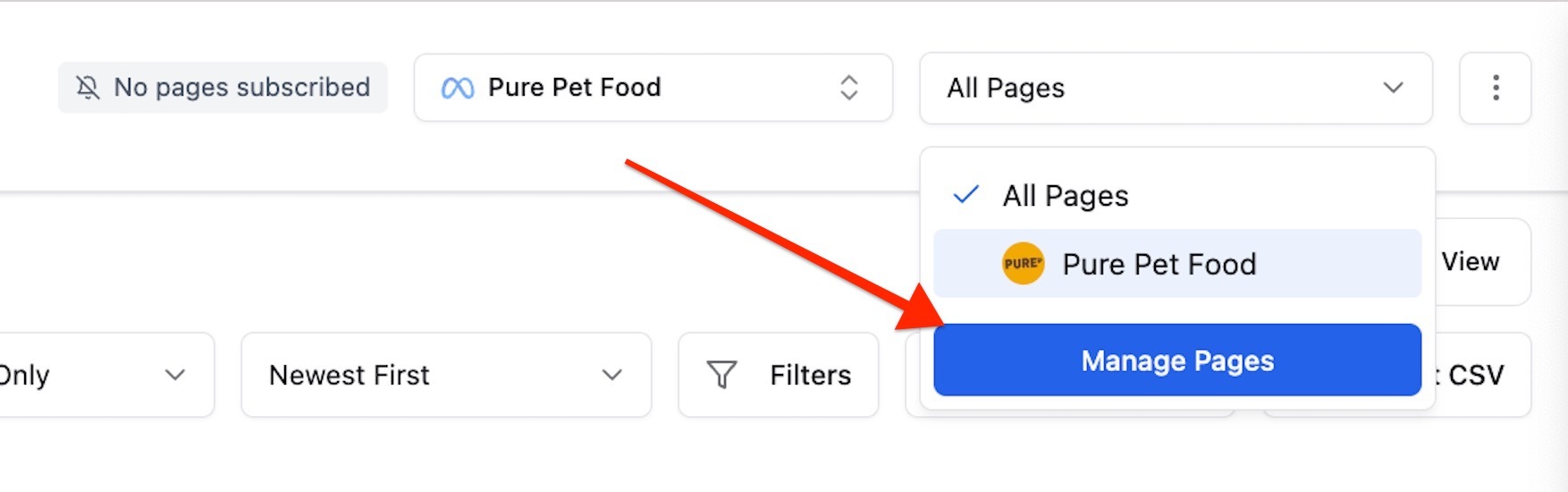
Open the Comments section and make sure you are subscribed to real-time comments for the pages you want to monitor (All pages, top right).
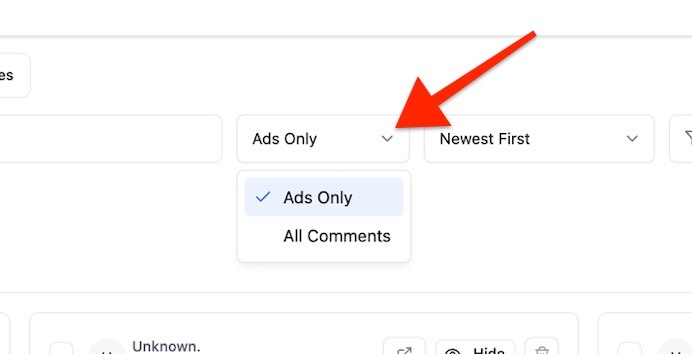
Check the filter in the comments view. If it is set to Ads only, switch to All comments to include broader coverage.
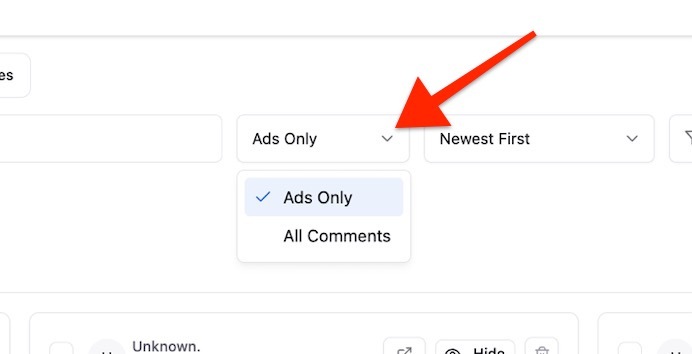
If needed, re-check the filter selection and click Refresh.
After subscription changes, wait briefly for sync and refresh again.
Important note about manual refresh
Manual refresh fetches comments from the top 10 ads by spend. If those ads have no new comments (or comments were already fetched), you may not see new items immediately.
When to escalate
If comments remain missing after the checklist, raise a support ticket and include workspace name, page(s), and a timestamp range where comments are missing.
Draft generated from Pylon issue #5414 and includes screenshots shared by support in-thread.