Why don't my successfully launched ads appear in Meta Ads Manager?
Last updated: April 8, 2026
Context
After launching ads through Admanage.ai, users sometimes experience a delay where their ads show as "Success" in Admanage.ai but don't immediately appear in Meta Ads Manager. This is typically due to Meta's caching system and doesn't mean the ads failed to launch.
Answer
This is a known caching issue on Meta's side that can cause delays in ads appearing in the Ads Manager interface. While frustrating, your ads are actually active and running - they just aren't immediately visible due to Meta's internal caching. Here are several ways to resolve this:
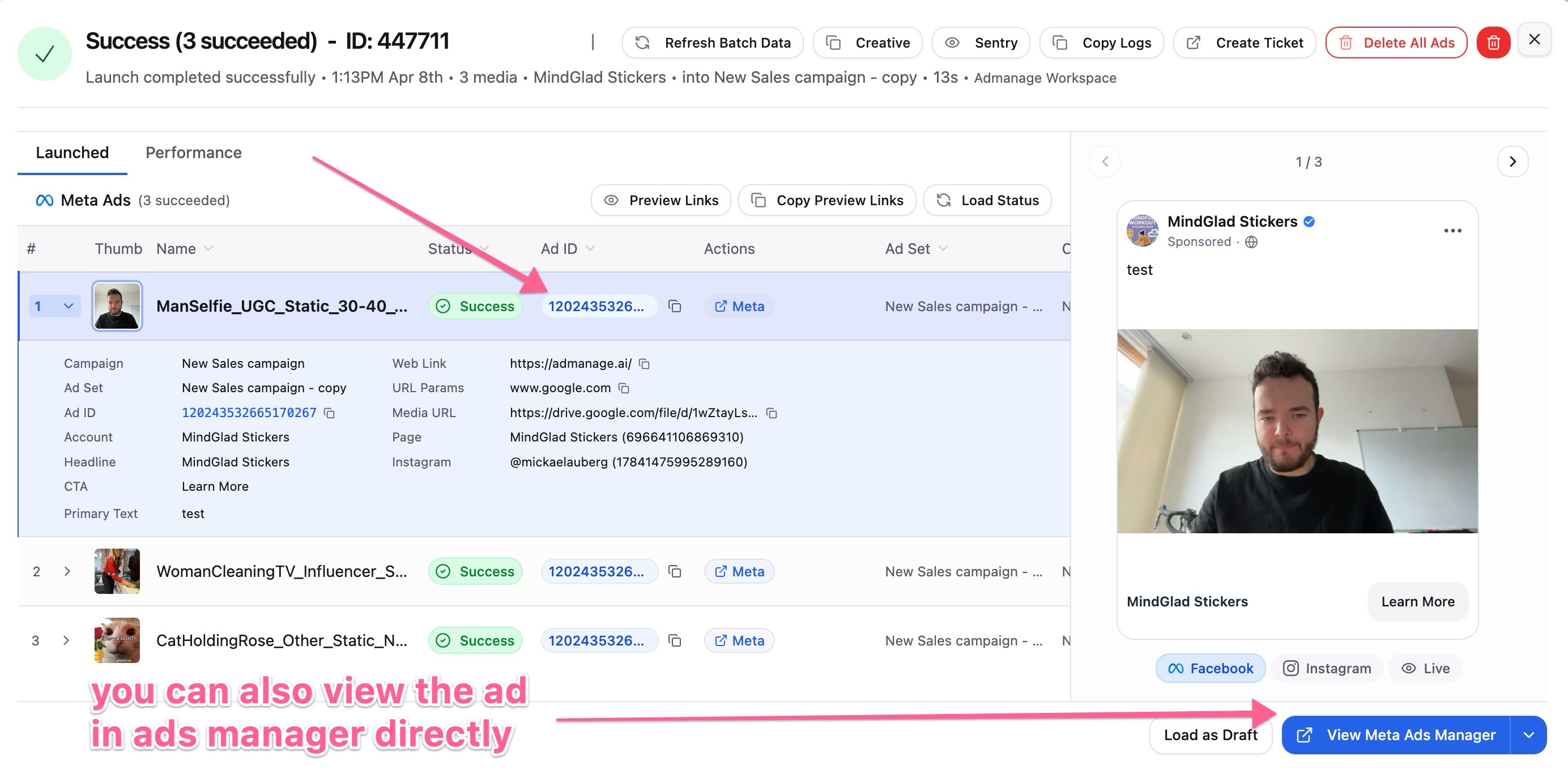
Click the "View Details" button in Admanage.ai to view all the ad IDs

Then you can click on an individual Ad ID pencil icon which overcome's Meta's cache system for you to view the ads.
Perform a hard refresh of your browser:
Mac: Cmd + Shift + R
Windows: Ctrl + Shift + R
Wait up to 1 hour for Meta's cache to refresh naturally
If you need immediate access, try duplicating the specific ad set in Meta, which forces a cache reload
Note: If your ads still don't appear after several hours, or if you receive specific error messages, contact support as this may indicate a different issue.