Automations: scope, pause rules, budget rules and Slack alerts
Last updated: October 30, 2026
Build recurring workflows in Automations and review their scope, conditions and execution history. A rule can only act on the accounts and assets its connection can access.
How do I prepare a rule?
Choose a template or create a workflow.
Select the trigger and the ad account/workspace it applies to.
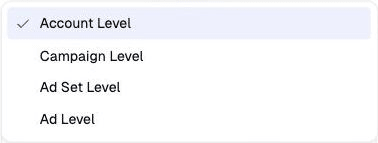
Set the target level, filters, metric, lookback period and threshold.
Configure the action, schedule and any cooldown or approval step offered.
Preview the matching entities and inspect a controlled run before leaving it active.
A workflow targeting specific ad-set IDs behaves differently from one that selects all matching ad sets. Review the scope if you expect new ad sets to be included automatically. An automation template is a starting point, not a substitute for selecting your own account and criteria.
Can I pause ads or adjust budgets?
Choose the corresponding platform action and specify the target and values. Make sure the metric matches the question you want to answer. Cost per action for a selected conversion event is different from cost per result for the ad set's optimization target.
Rules evaluate when they run. A spend threshold is not a guaranteed hard spending cap: reporting delay, execution frequency and delivery between checks can allow additional spend. Use platform budgets and spending controls where you need those safeguards.
Are Automations and Meta rules the same?
No. Native Meta rules run through Meta's rule system. AdManage workflows can combine triggers, conditions, actions, delays, approvals and notifications. Check which system you are editing when troubleshooting frequency or available conditions.
For duplication actions, verify the destination campaign's bid requirements. A source ad set without a bid can fail when copied into a campaign that requires one. Original Post ID reuse can also prevent a changed URL or copy from taking effect.
How do I send Slack alerts?
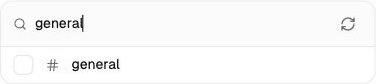
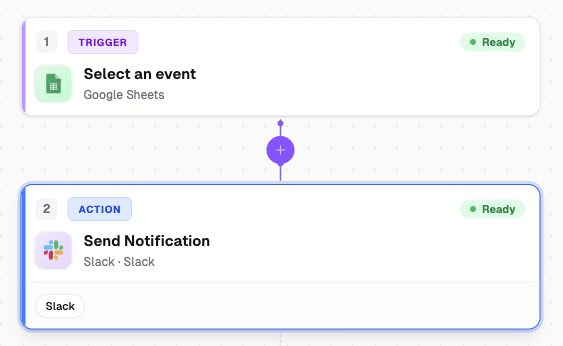
Add the Slack/notification action, connect the intended Slack workspace, choose the channel and review the message. The channel must belong to an available connection and be accessible to the integration. Check the destination shown in that workflow step before activating the rule.
What do execution statuses mean?
Open execution history for the actual run. Running, Completed and Failed describe processing; Awaiting approval and Scheduled delay mean the workflow is waiting at that step. A rejected approval is different from a technical failure. Read the step result before rerunning actions that may already have succeeded.
Quick answers
Will a threshold stop spend at the exact amount? No, checks and reporting can lag.
Do native Meta rules and AdManage workflows have identical features? No.
Will new ad sets be included? Only if the configured scope selects them.
Where do I check a failed action? Open the execution and inspect its step results.