How to Integrate TikTok with AdManage
Last updated: January 2, 2026
Integrating TikTok with AdManage allows you to streamline your ad creation and manage Spark Ads or Smart Plus campaigns directly from one dashboard. Follow this guide to set up your connection effectively.
Phase 1: Preparation
Before starting, determine which profile type fits your goals. TikTok is currently phasing out "fake" profiles in favor of authentic brand presences.
Profile Types at a Glance
Profile Type | Description | Best For |
BC AUTH TT | Real business profiles authenticated via TikTok Business Center. | Smart Plus 2.0, Spark Ads, and brand-heavy campaigns. |
TT USER | Real organic accounts (personal or business) connected via login. | Smart Plus 2.0, Spark Ads, and using organic posts. |
CUSTOMIZED USER | Fake profiles created for "dark ads" (no organic footprint). | Phasing out. Only for basic campaigns; not recommended for Smart Plus. |
Key Recommendation: For Smart Plus 2.0 campaigns, TikTok now requires using real profiles (BC AUTH TT or TT USER). Customized Users are being deprecated to prioritize authenticity.
Phase 2: The Integration Process
Step 1: Access Settings
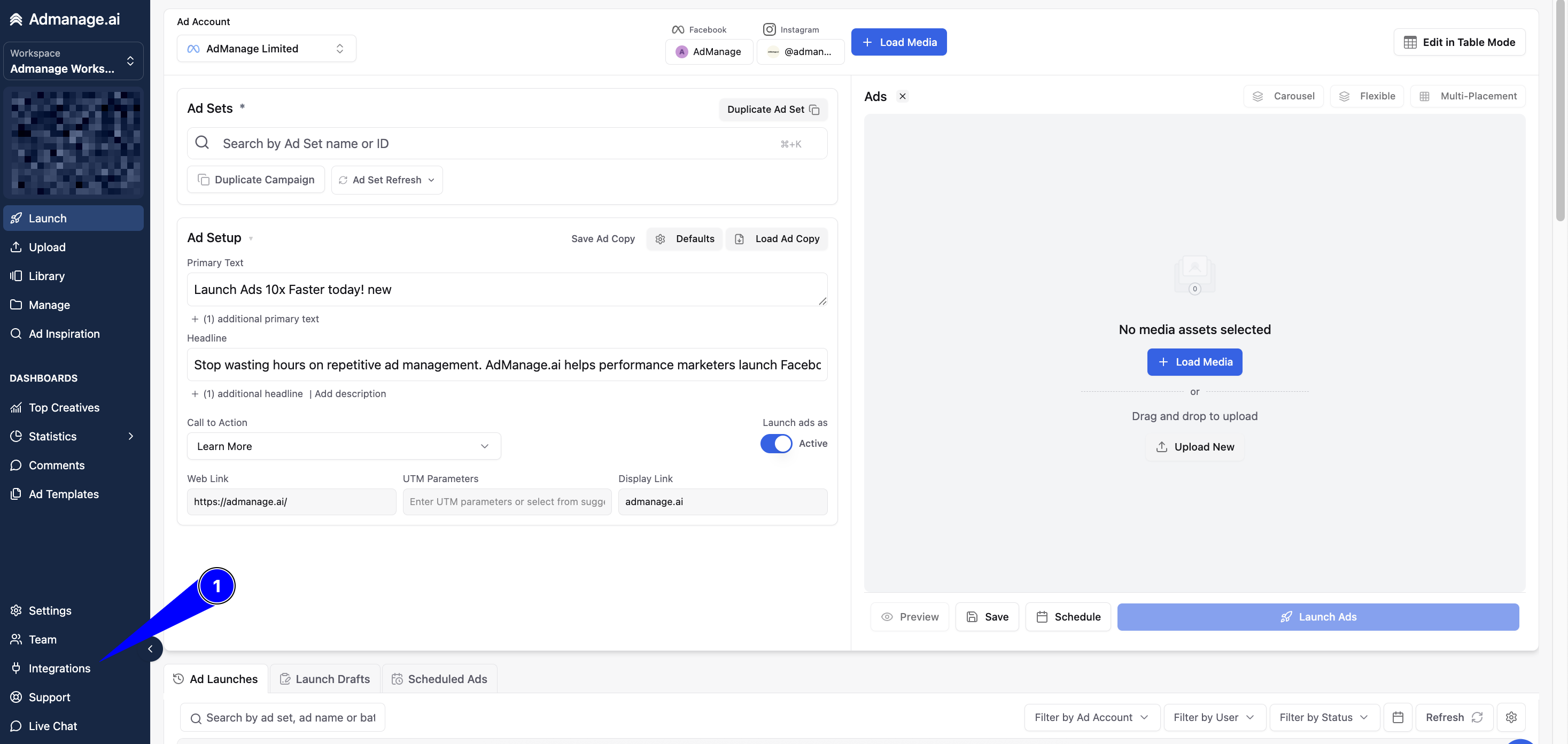
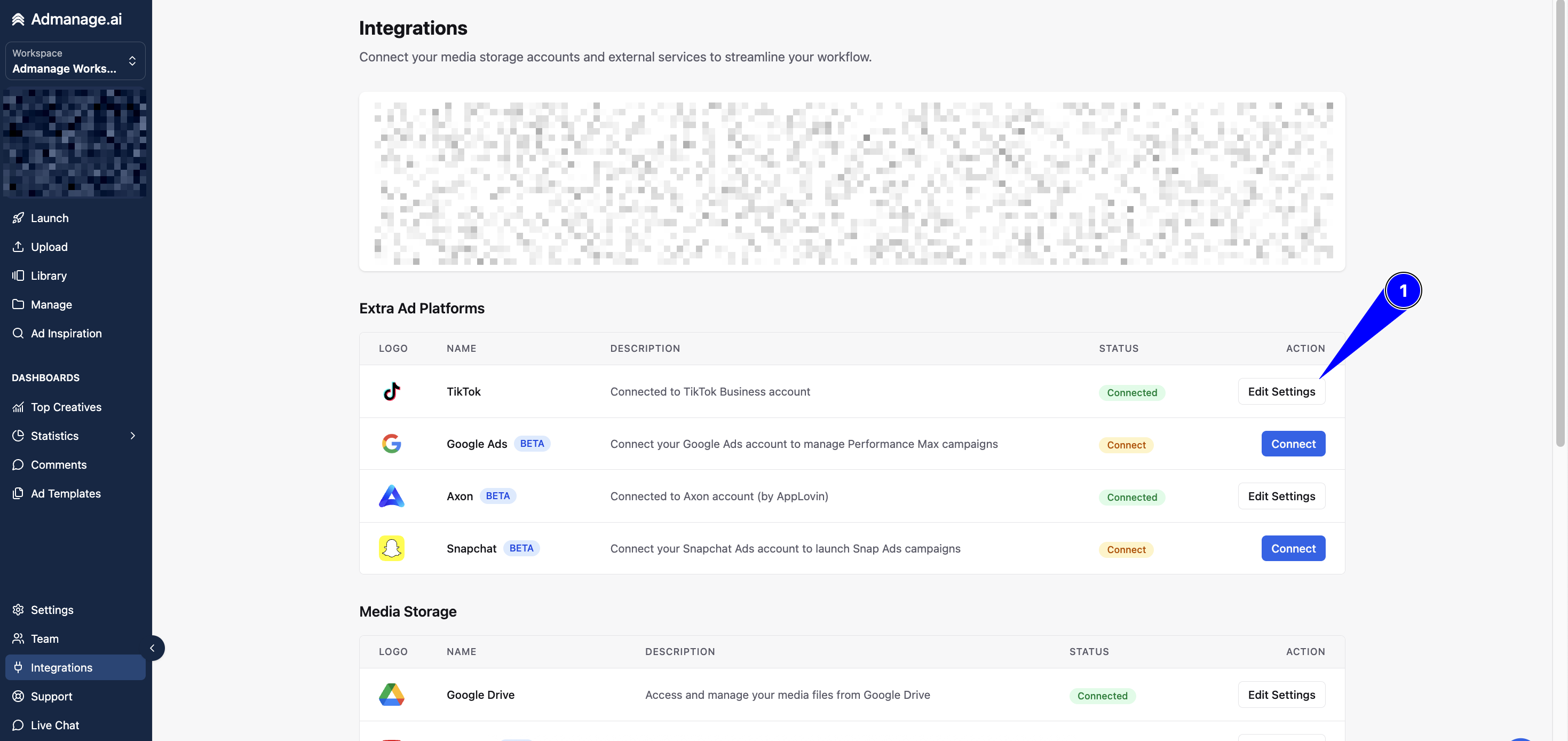
Log into AdManage and navigate to the Integrations tab in the left sidebar (below the Teams section). Click on TikTok to begin.
Step 2: Connect Your Business Account
Click Connect with TikTok. You will be redirected to the TikTok authorization page. Log in with your TikTok Business Center credentials and grant the requested permissions.
Step 3: Connect Your Organic Account (TT USER)
If you require Spark Ads or Smart Plus capabilities:
In the TikTok settings menu, select the option to connect an organic user account.
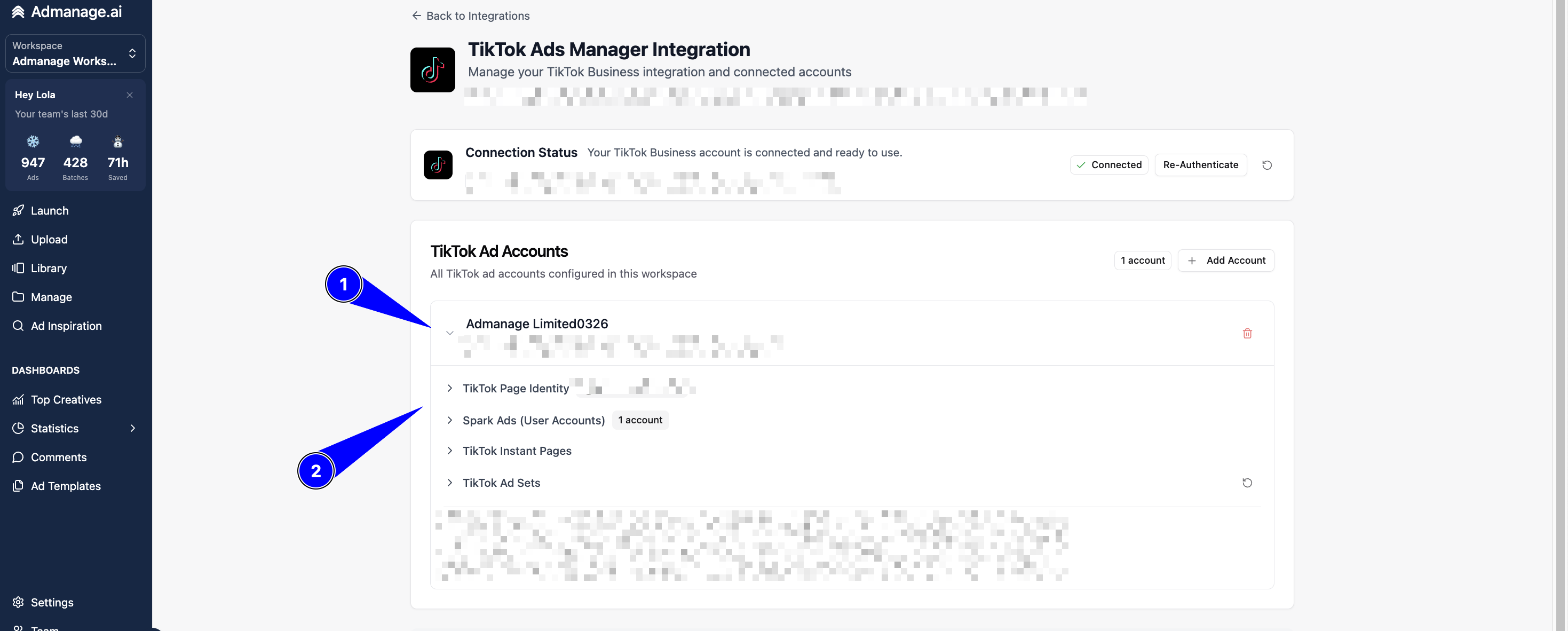
Pro Tip: TikTok only allows one active login at a time. Log out of your Business account in your browser first, then log into the specific organic profile you wish to link.
Authorize the connection to sync your organic posts.
Step 4: Verify the Connection
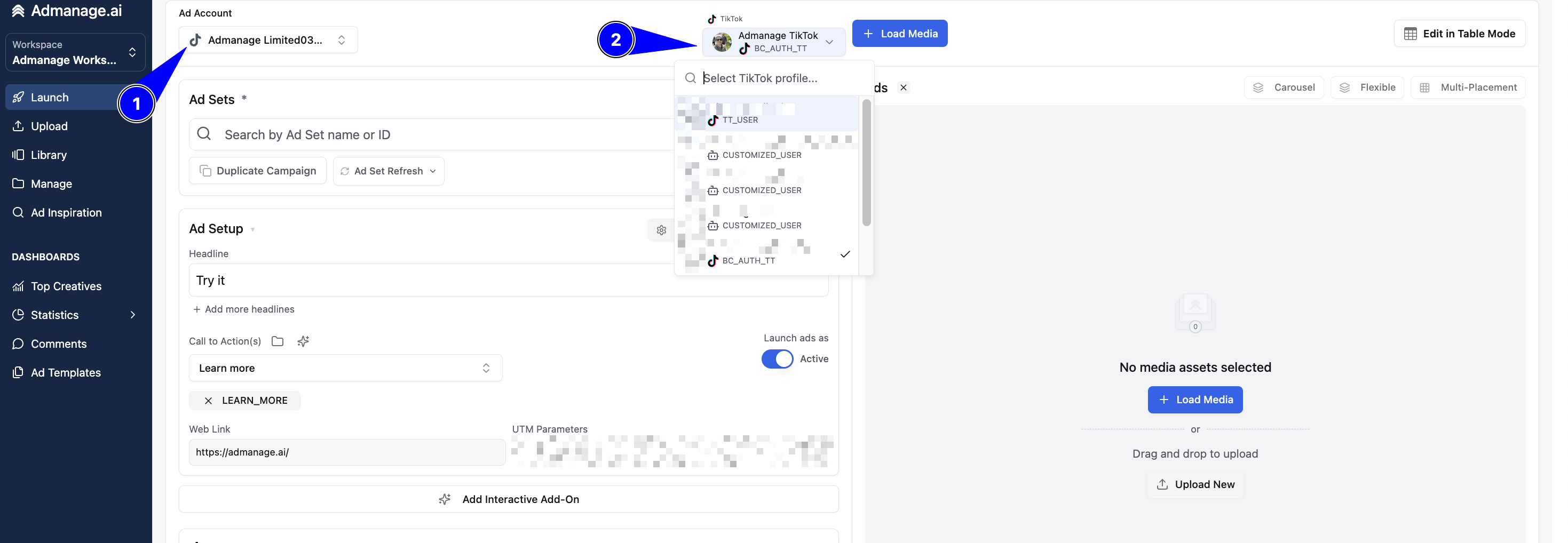
Go to the Launch page in AdManage. Open the ad account dropdown menu; your TikTok ad accounts should now be visible. When creating an ad, you can now select your Identity (BC Auth, TT User, or Customized).
Step 5: Assign to Workspaces
To ensure your team can access the accounts, go to the Teams section. Edit your workspace and add the newly integrated TikTok ad accounts to the permitted list.
Phase 3: Troubleshooting Quick-Fixes
Missing Accounts? Ensure you are a member of the specific TikTok Business Center and try re-authenticating.
Connection Errors? Clear your browser cache or complete the process in an Incognito window to prevent session conflicts.
Agency Tip: You can use a single organic account across multiple client Business Centers within AdManage.
Need Support? If you run into technical hurdles, post a screenshot of the error in your dedicated AdManage Slack channel for immediate assistance.