Ad Scheduling in AdManage: difference between Meta's and AdManage's scheduling tool
Last updated: January 2, 2026
Scheduling ads shouldn't be a gamble. While Meta’s native scheduling is known for being "buggy," AdManage offers a dedicated, independent system designed for reliability and precision.
AdManage vs. Meta: The Core Difference
Feature | AdManage Scheduling | Meta Native Scheduling |
Visibility | Hidden until the launch time. | Visible immediately in Ads Manager. |
Reliability | High; bypasses Meta's internal bugs. | Can be inconsistent or "glitchy." |
Mechanism | Ads launch as paused and auto-activate. | Native inactive state until start time. |
Pro Tip: Because AdManage is an independent system, your scheduled ads will not appear in Meta Ads Manager until the exact moment they go live.
How to Schedule Your Ads
Option 1: Ad-Level (The "Schedule" Button)
Best for individual creatives or quick launches.
Prepare your copy and creatives.
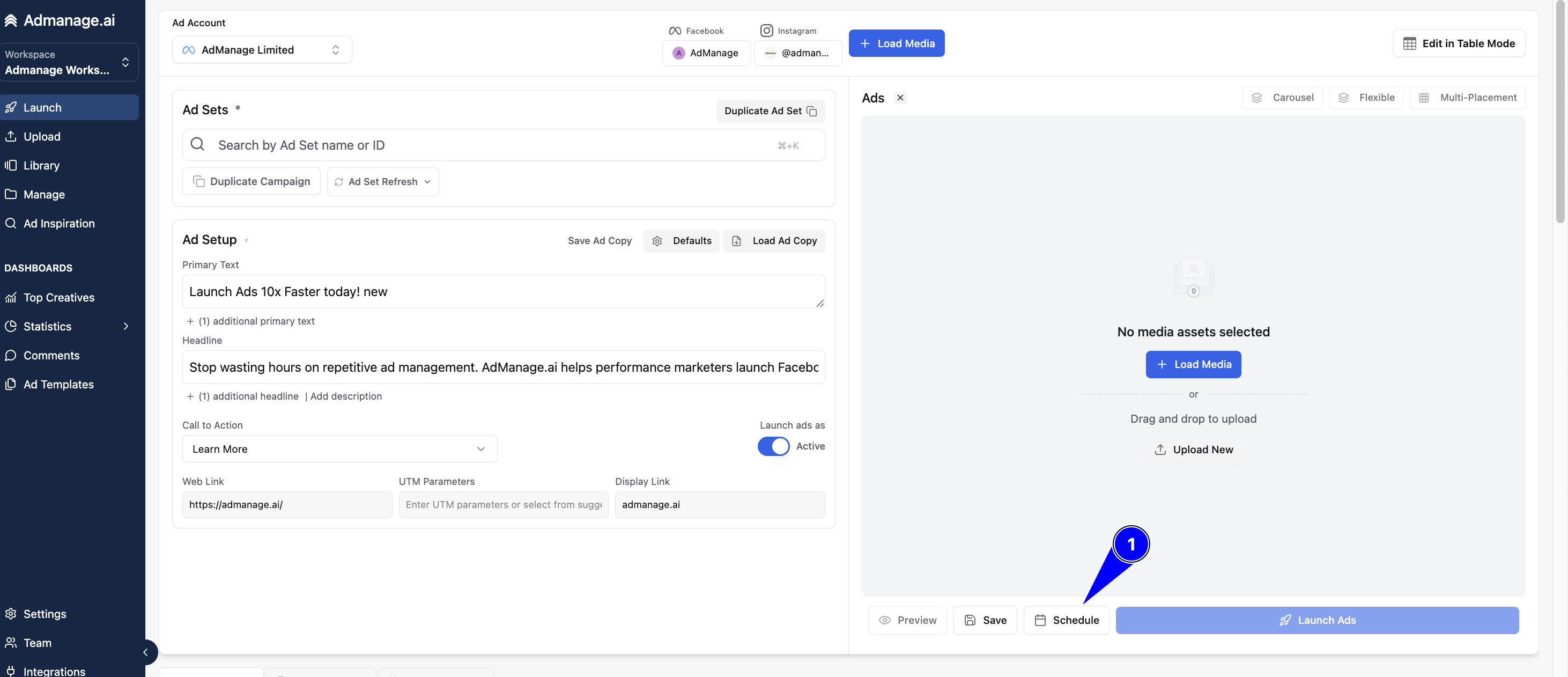
Click the Schedule button (located next to "Launch Ads").
Select your time and ensure the status is set to "Active."
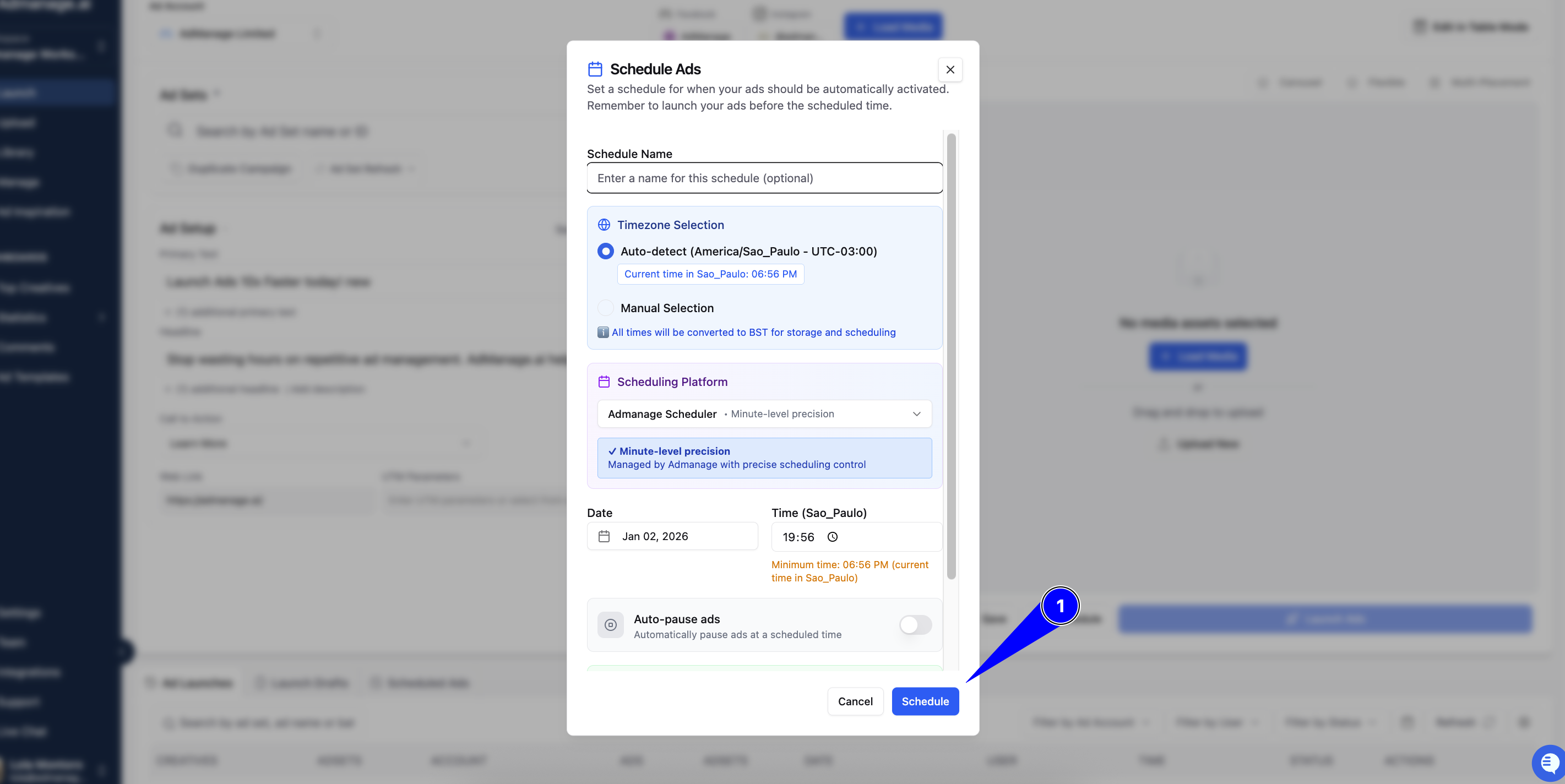
Click Launch Ads—the system handles the rest.
Option 2: Ad Set-Level (Via Duplication)
Best for testing new audiences or bulk changes.
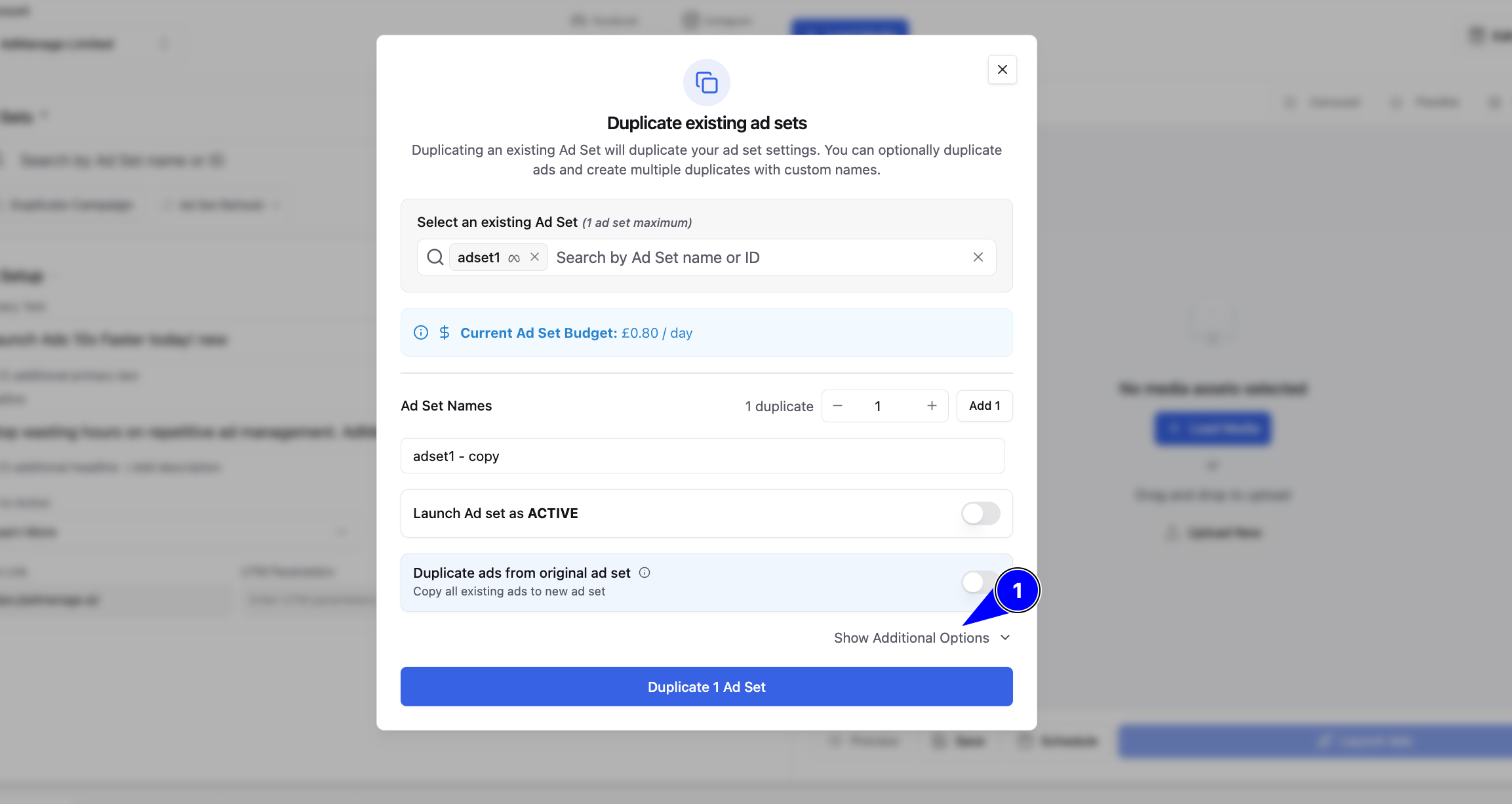
Click Duplicate Ad Set.
Select Show Additional Options at the bottom right.
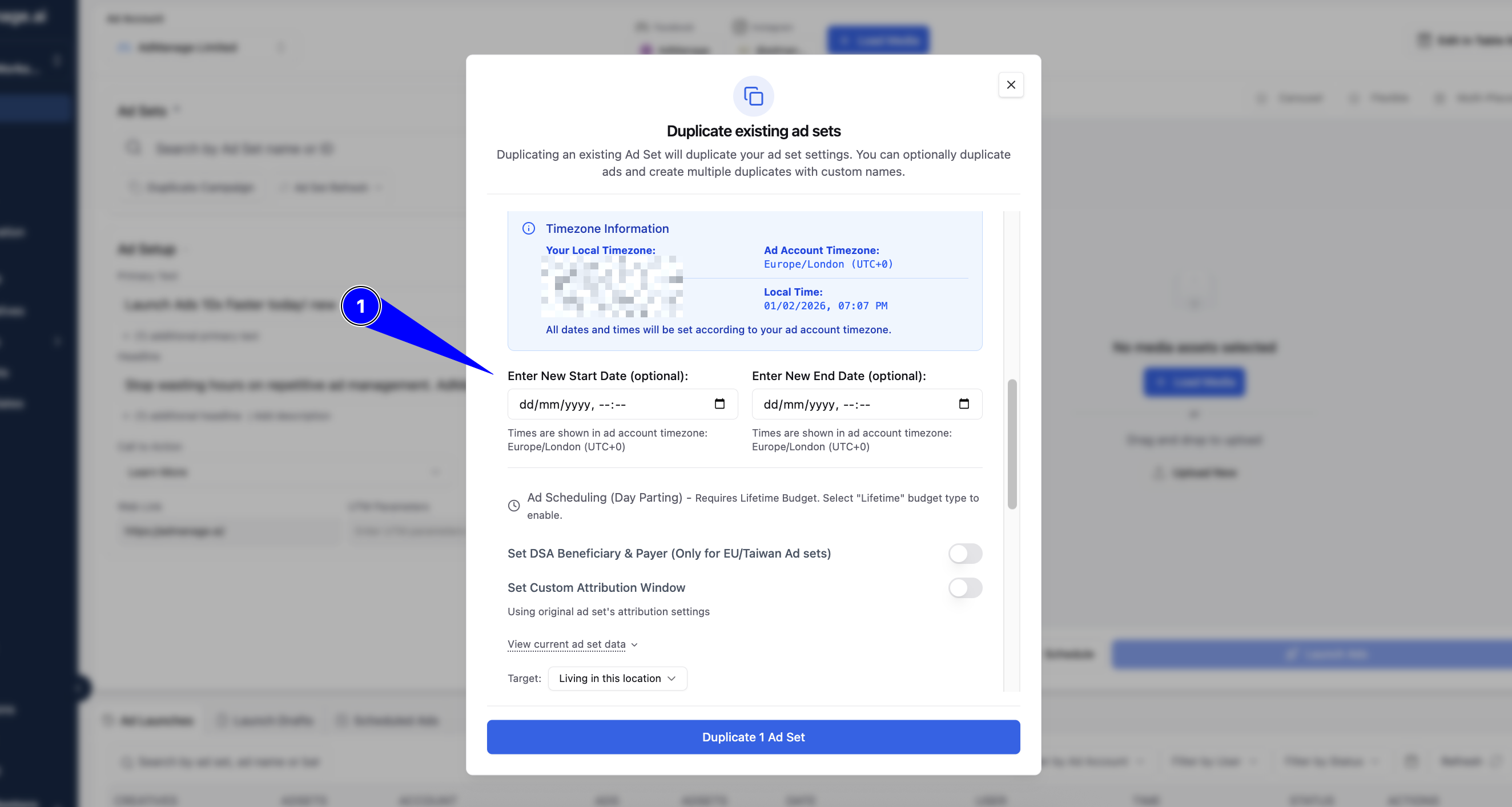
Set your start date and time.
Complete the duplication to queue your ads.
Pro Tips for Flawless Launches
Mind the Timezone: Scheduling follows your Ad Account’s timezone, not your computer’s clock. AdManage will show your local time for clarity, but the execution is based on the account settings.
The Midnight Strategy: Many top advertisers schedule for 12:00 AM to allow Meta’s algorithm a full 24 hours to optimize the daily budget.
The "Active" Rule: Always ensure your ads are set to launch as Active. If you launch as "Paused," they will remain paused even after the scheduled time arrives.
Monitor Your Queue: You can view, edit, or delete pending launches in the Scheduled Ads tab within AdManage.
Troubleshooting
Time Shift? Double-check your Ad Account timezone settings.
Missing Ads? If it’s before the scheduled time, they won’t show in Meta yet. Check the AdManage "Scheduled Ads" tab instead.