How to launch to multiple ad accounts from Table Mode
Last updated: February 13, 2026
How to launch to multiple ad accounts from Table Mode
You can launch across multiple ad accounts in one go directly from Table Mode.
Steps
Open the Launch page in Table Mode.
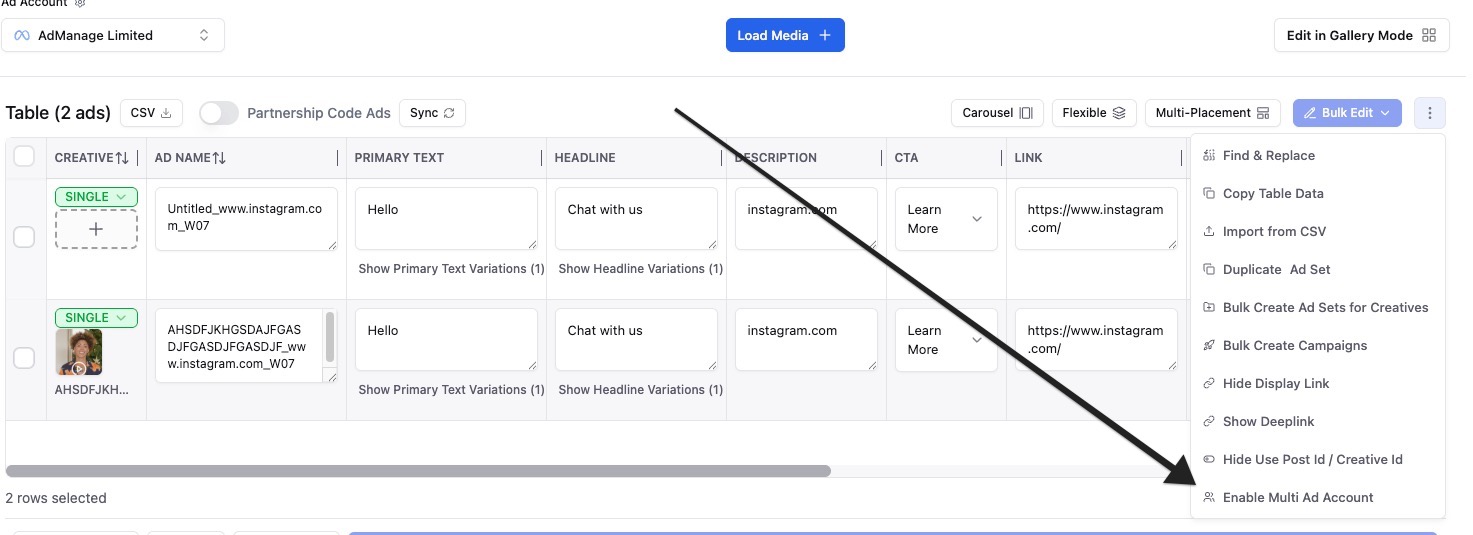
Click the three dots menu in the top-right corner of the table.
Click Enable Multi Ad Account.
A new AD ACCOUNT column appears for each row.
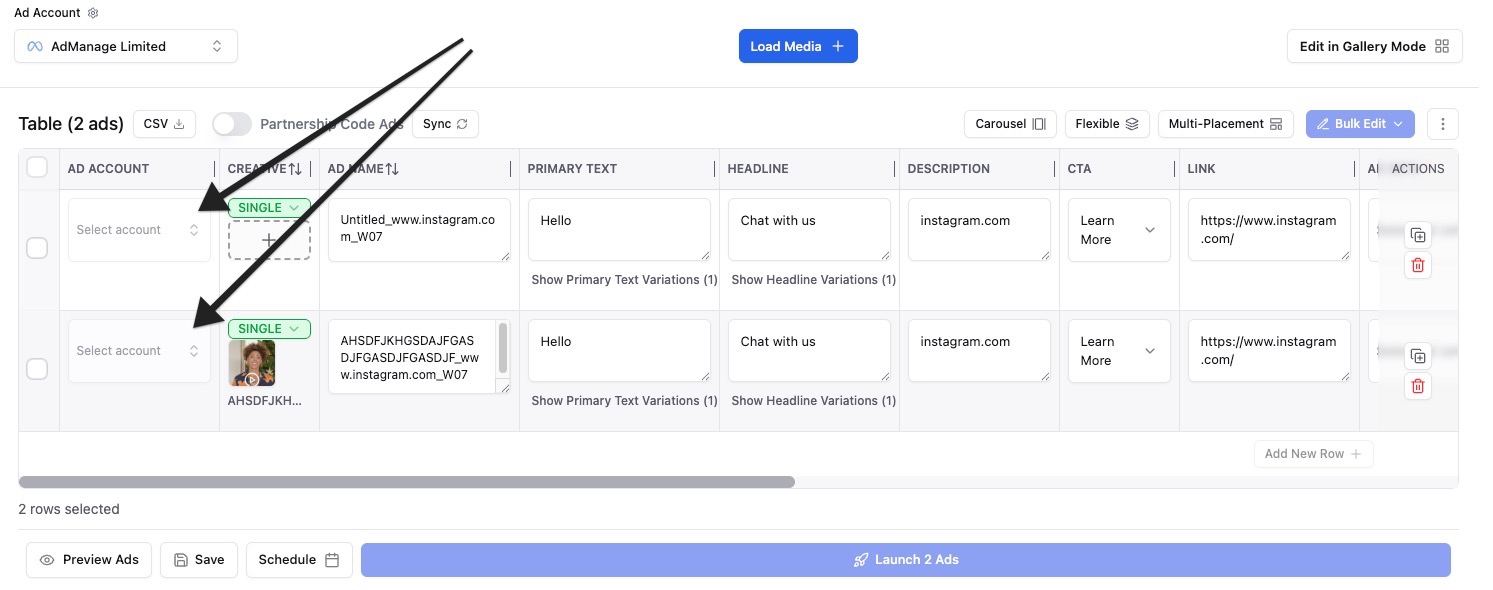
Select the target ad account for each row.
Review your rows, then click Launch.
What changes after enabling it?
The table supports different ad accounts per row.
You can prepare similar campaigns for multiple accounts in one workflow.
Tip: If your team launches the same campaign structure for multiple clients/accounts, this is the fastest setup.