How to use Multi-Language Ads in AdManage.ai
Last updated: January 8, 2026
The Multi-Language Ads feature in AdManage.ai leverages Meta's Dynamic Language Optimization (DLO) to automatically show different language variants of your ad copy and creatives to the appropriate language speakers.
Step 1: Enable Multi-Language Ads
Before using the feature, you must activate it in your settings:
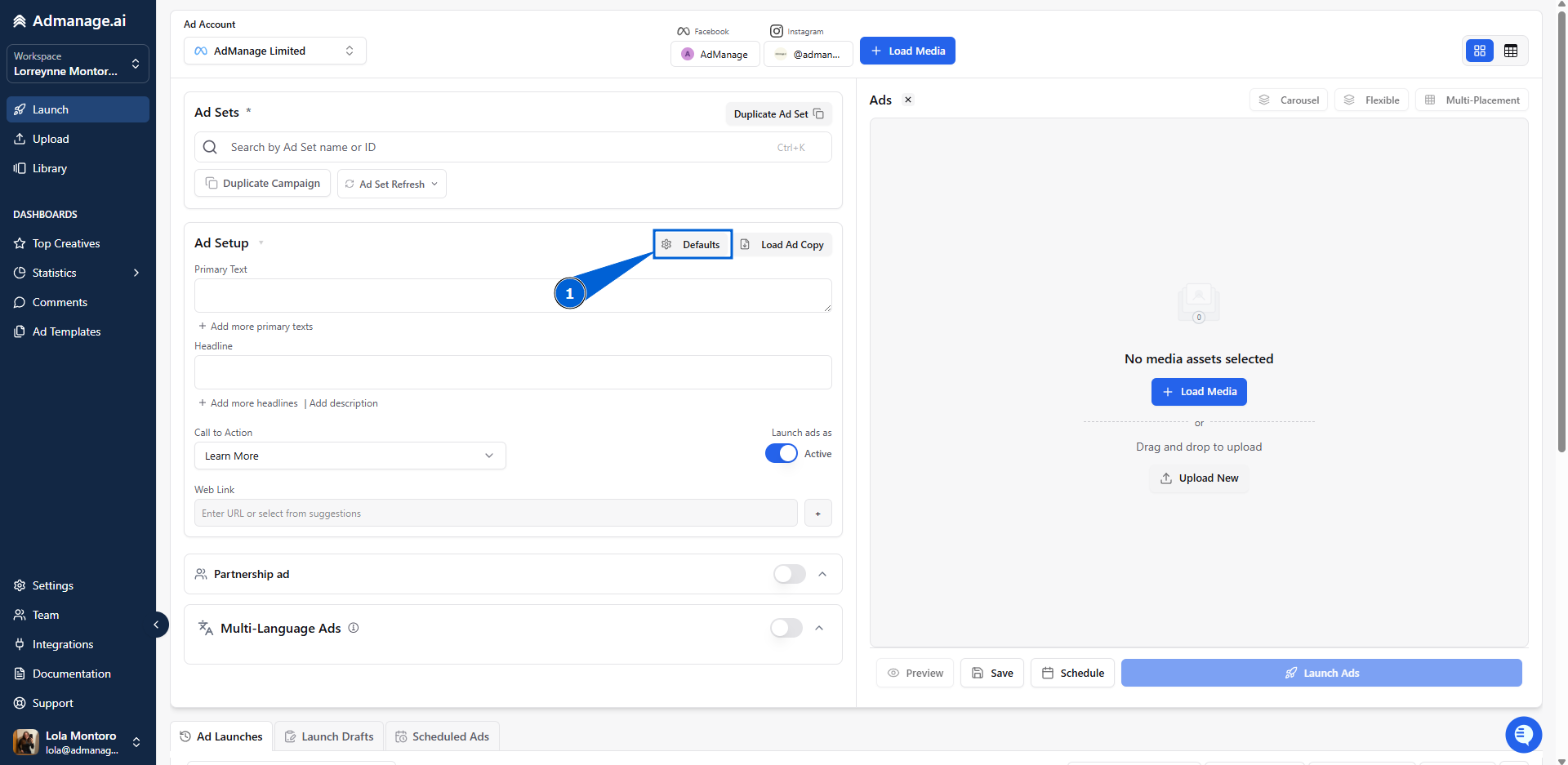
Navigate to Defaults within the Launch interface.
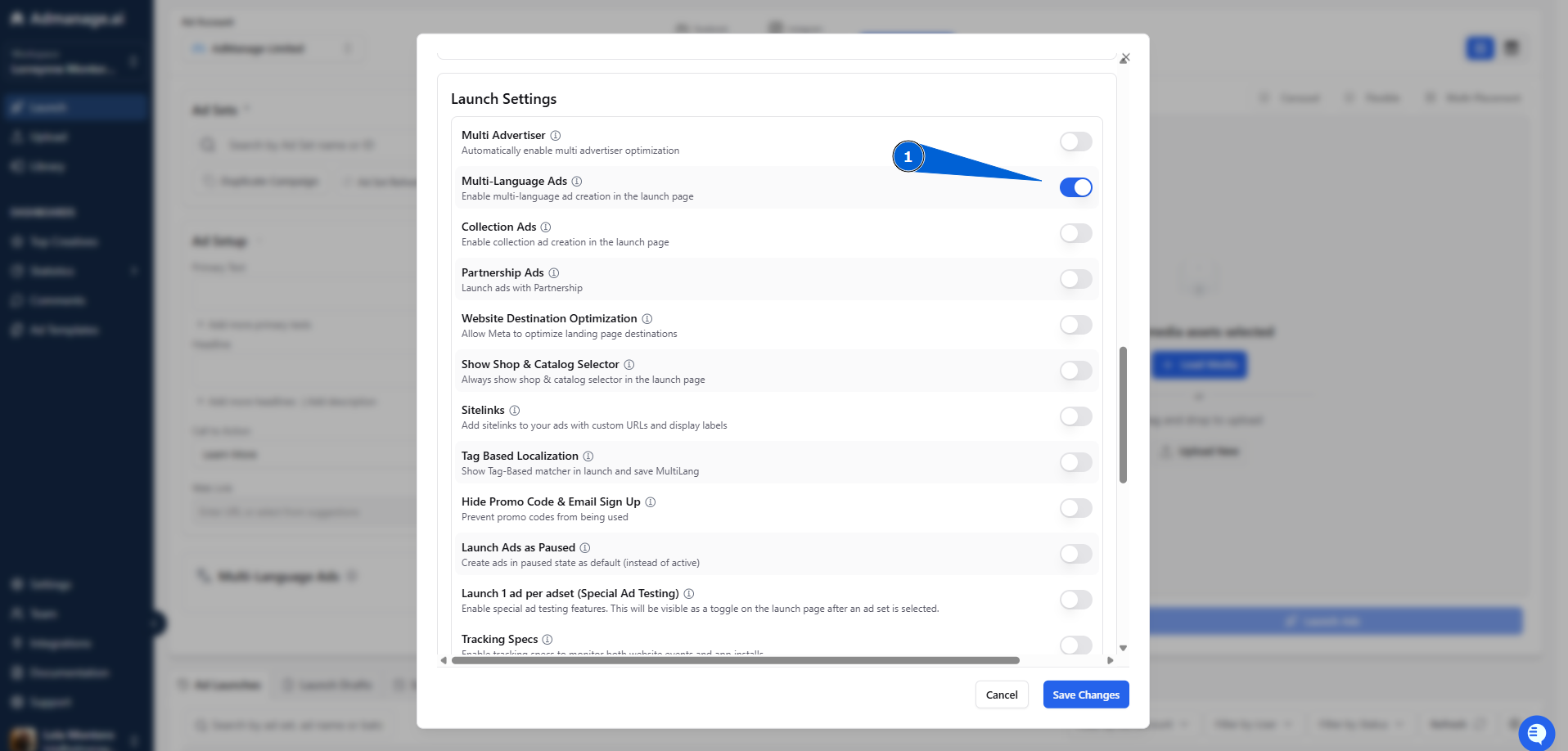
Find and toggle on "Multi-Language ads."
Step 2: Dynamic Language Optimization (DLO) Setup
Once enabled, you can configure your ad content for multiple languages:
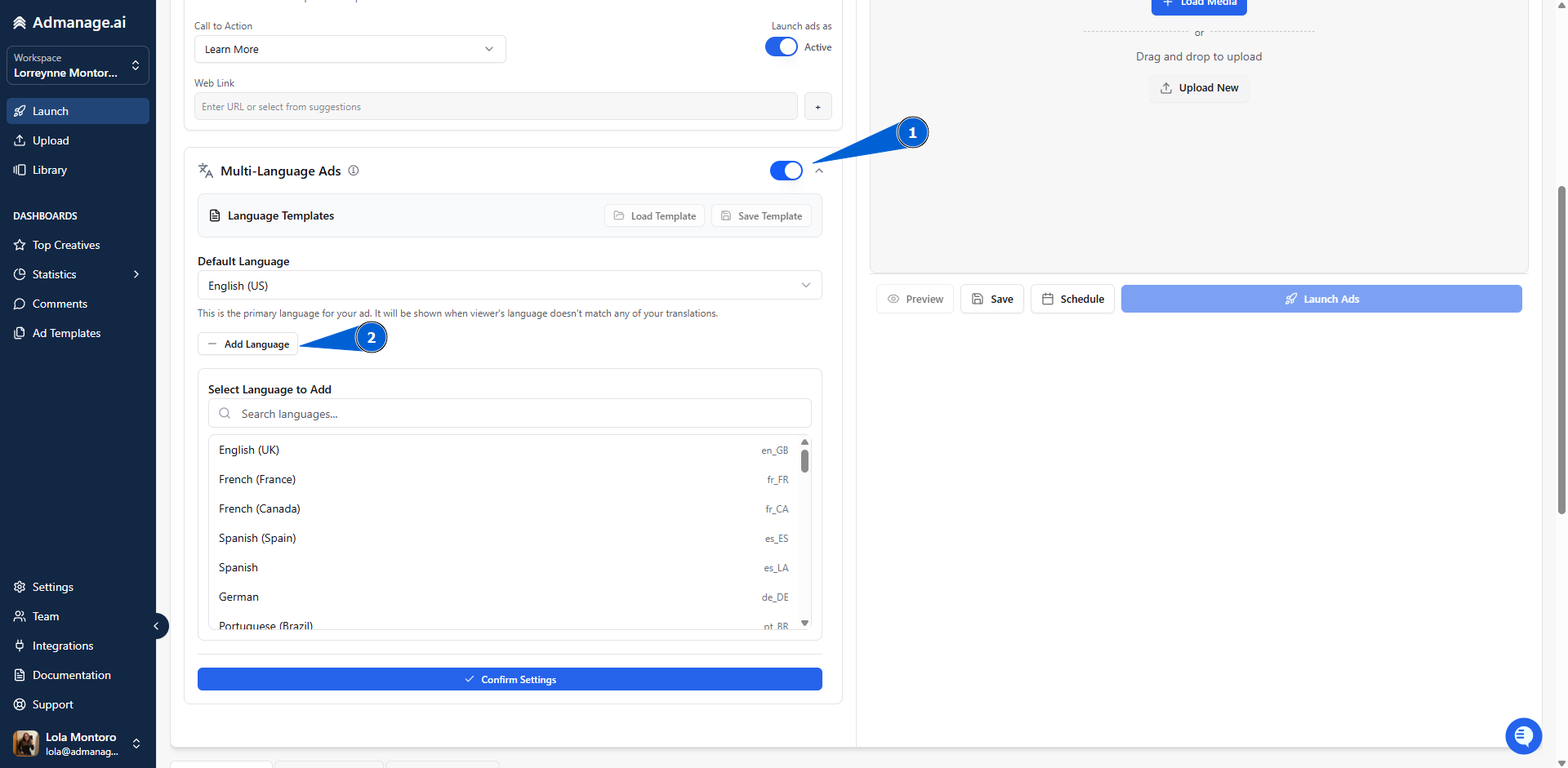
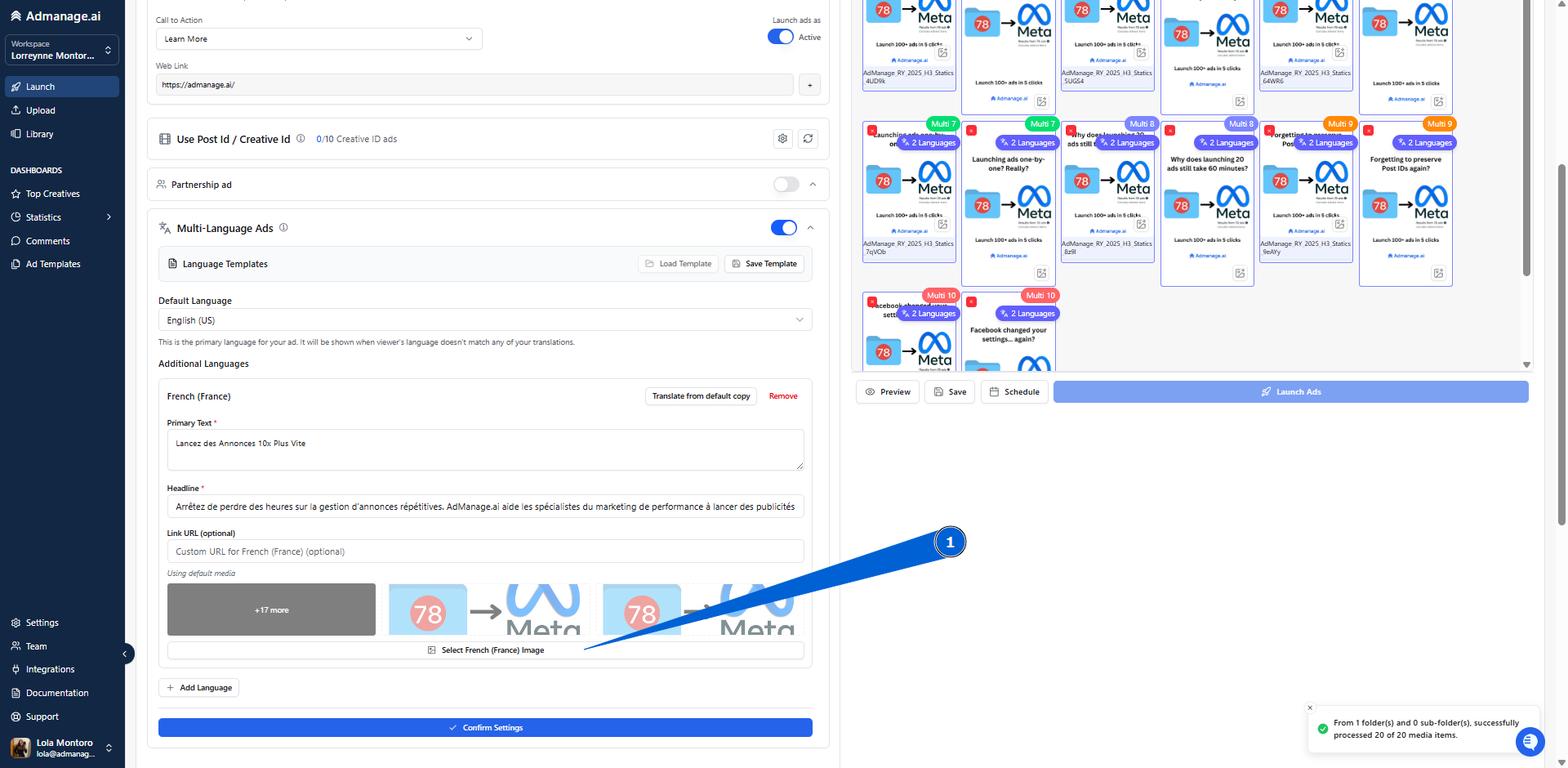
Set Default: Select your primary (default) language.
Add Languages: Click "Add Language" and select any additional languages you want to target (e.g., Spanish, French, German).
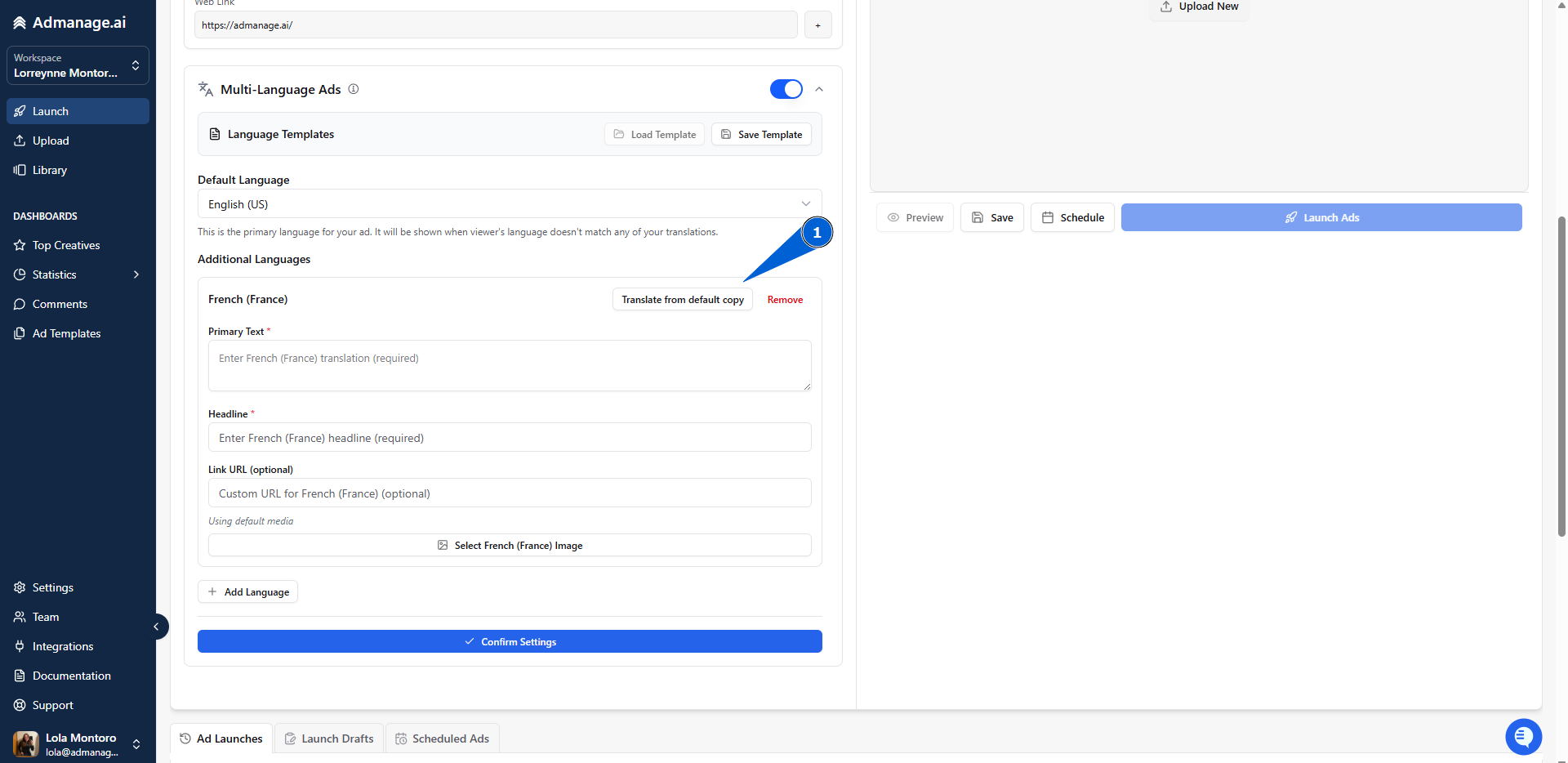
Translate Content:
Input your translated copy and links manually, OR
Use the auto-translate feature provided by AdManage.
Select Creatives: Upload or select translated videos or images for each language variant.
Meta Delivery: Once launched, Meta will automatically deliver the Spanish version to Spanish speakers, the French version to French speakers, and so on.
Critical Note on Landing Pages
For optimal performance, your landing pages must match the language of your ad. Failure to match the ad language to the landing page language can significantly reduce conversion rates.