Setting up Meta/TikTok Partnership/Spark Ads on AdManage
Last updated: October 29, 2025
This guide walks you through the process of setting up a Spark Ad (on TikTok) or a Whitelisted Ad (on Meta/Facebook/Instagram) using a partnership code within the AdManage platform.
Preparation in the AdManage Launch Page
You must be in the correct view and mode to launch a Spark or Whitelisted Ad.
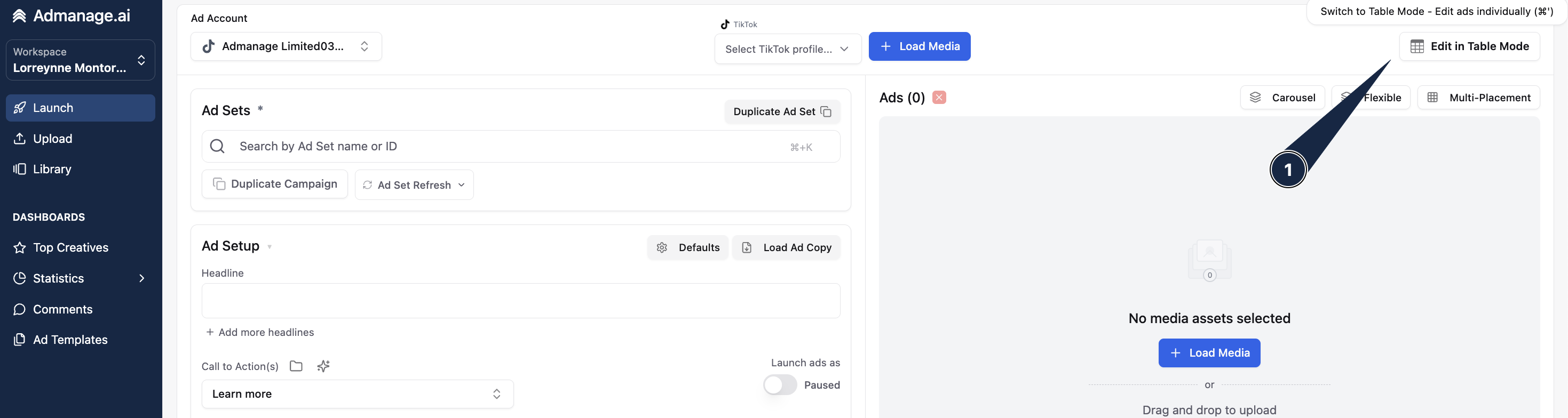
Switch to Table View:
Navigate to the Launch page in AdManage.
Click the grid table button to switch your view to the table format.
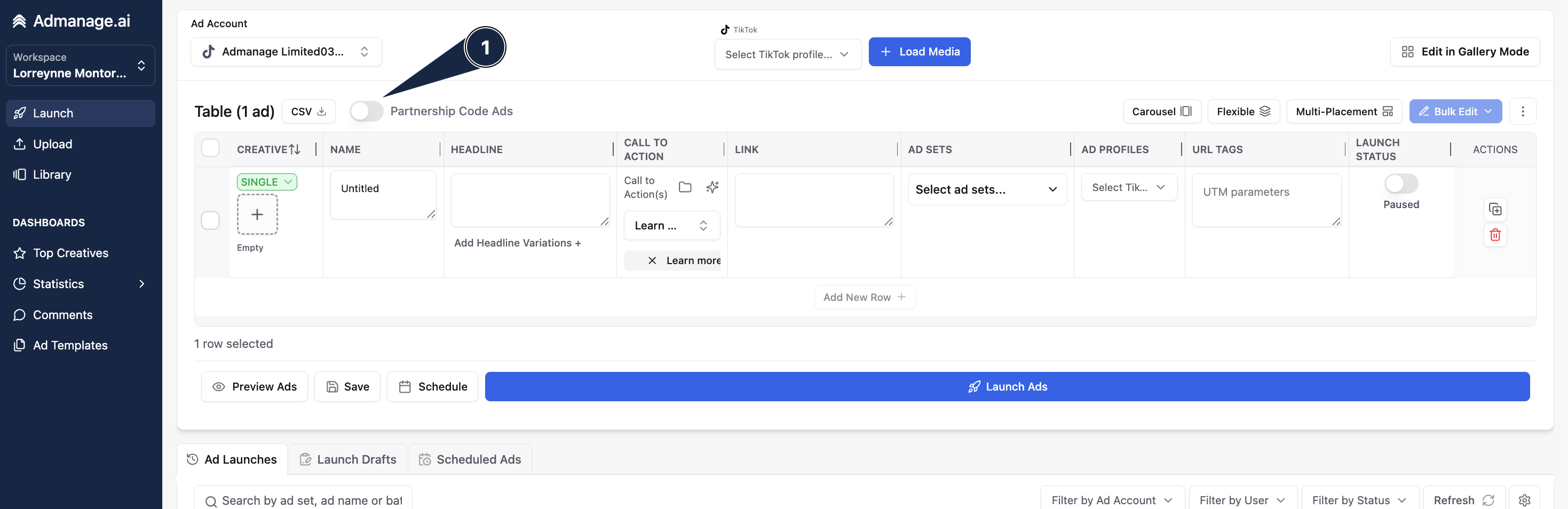
Toggle to Partnership/Spark Ads Mode:
Locate and click the "Partnership/Spark Ads" toggle button to activate the necessary setup mode.
Entering the Partnership Code
This code grants AdManage the authorization to use the creator's organic post for paid promotion.
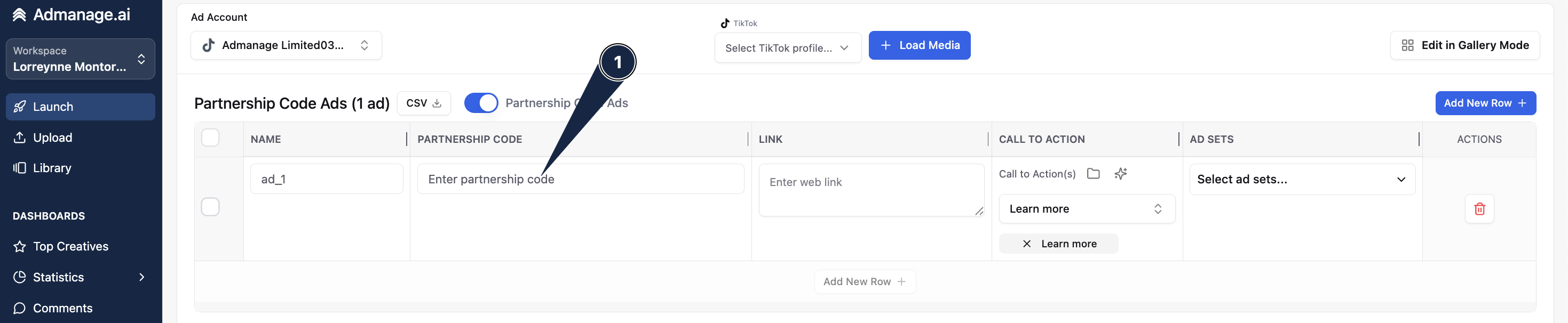
Enter the Partnership Code:
A text field will appear after you enable the mode. Enter the partnership code that was provided by the creator.
Tip: You can press
Ctrl + vto quickly paste the code if it's already copied.
Confirm and Launch:
Once your ad sets are selected, save your changes or proceed with the launch process as prompted by the AdManage interface.
That's it! You've successfully configured your whitelisted/Spark Ad using the partnership code and are ready to push it live to your selected ad sets on Meta or TikTok.