How to Relaunch Existing Ads with AdManage.ai
Last updated: October 21, 2025
AdManage.ai offers a powerful feature to relaunch your winning ads directly from your Meta account, ensuring you preserve the social proof (likes, comments, shares) that makes them so valuable. This is the perfect way to graduate successful creatives to your evergreen campaigns.
The Step-by-Step Guide to Relaunching Ads
Follow these simple steps to bring your proven ads back into active rotation:
Find the Existing Ads
Go to the Launch page in AdManage.ai.
Click the blue "Load Media" button at the top.
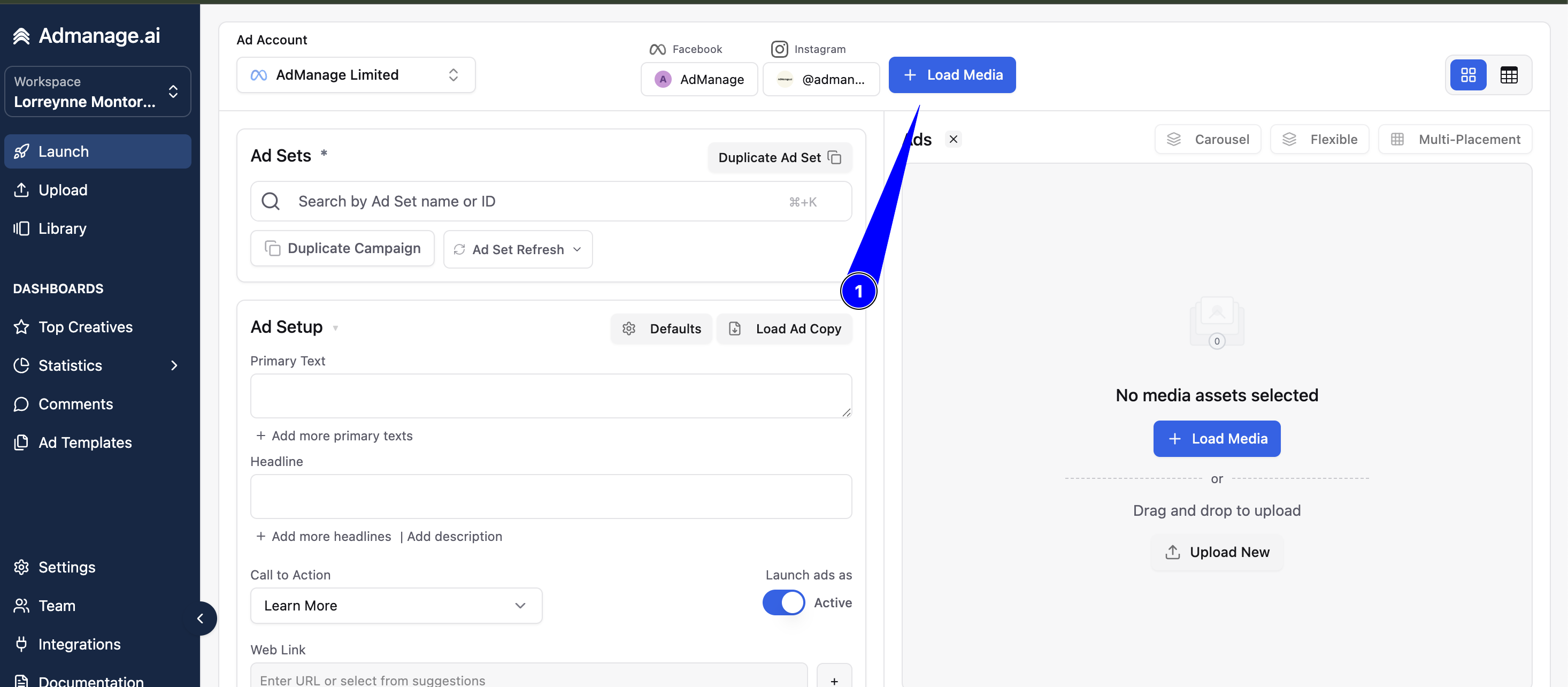
Click on the "Existing Ads" tab (located next to "Media Library").
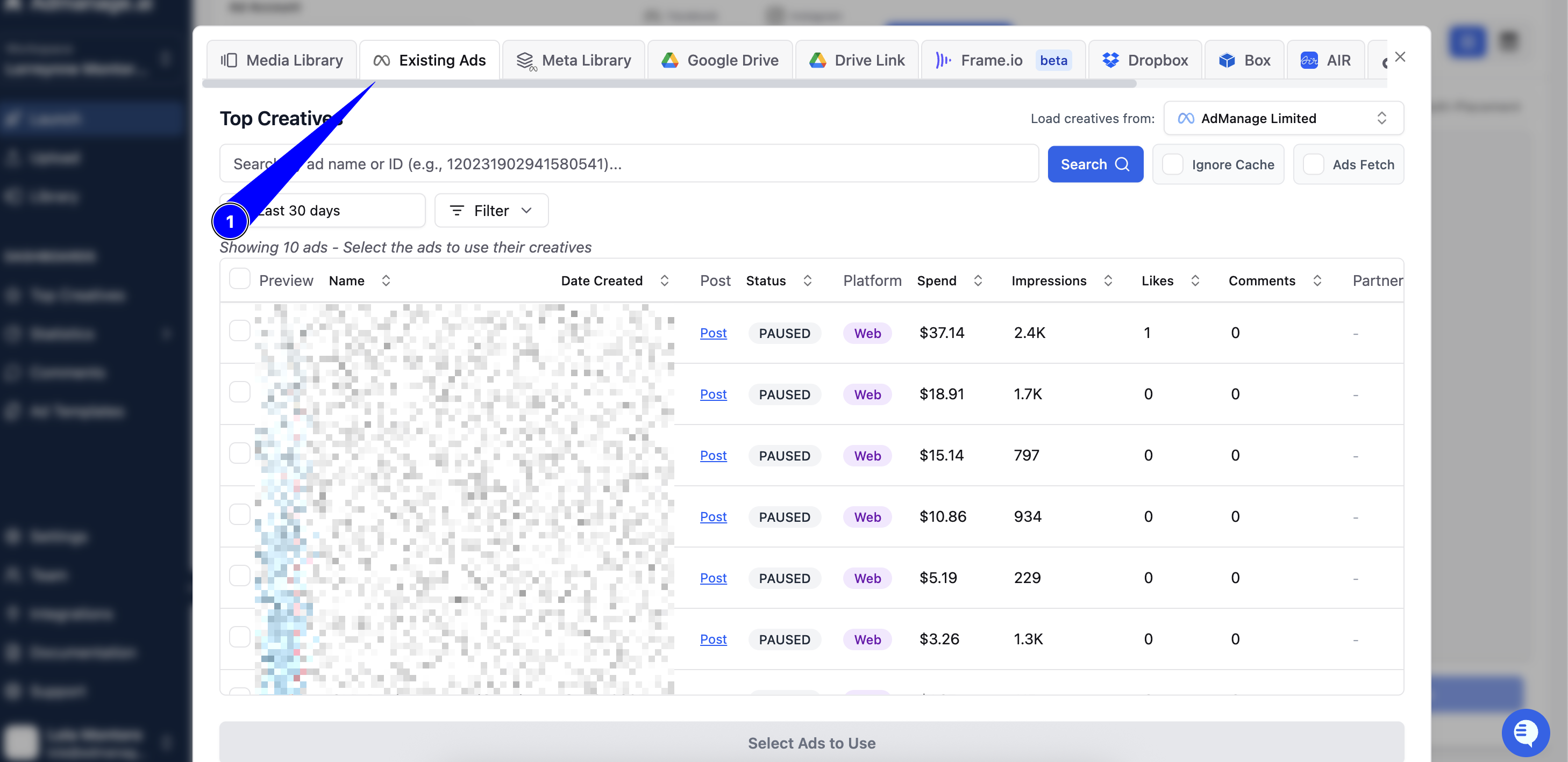
Select and Verify
View All Ads: This section loads all ads currently in your Meta account, even those not originally launched through AdManage.
Search & Filter: Use the search bar or filters to quickly find the ad(s) you want to relaunch. You'll see key data like spend, impressions, and their original campaign/ad set.
Select Ads: Click to select the ad(s) you want to use.
Automatic Social Proof Preservation
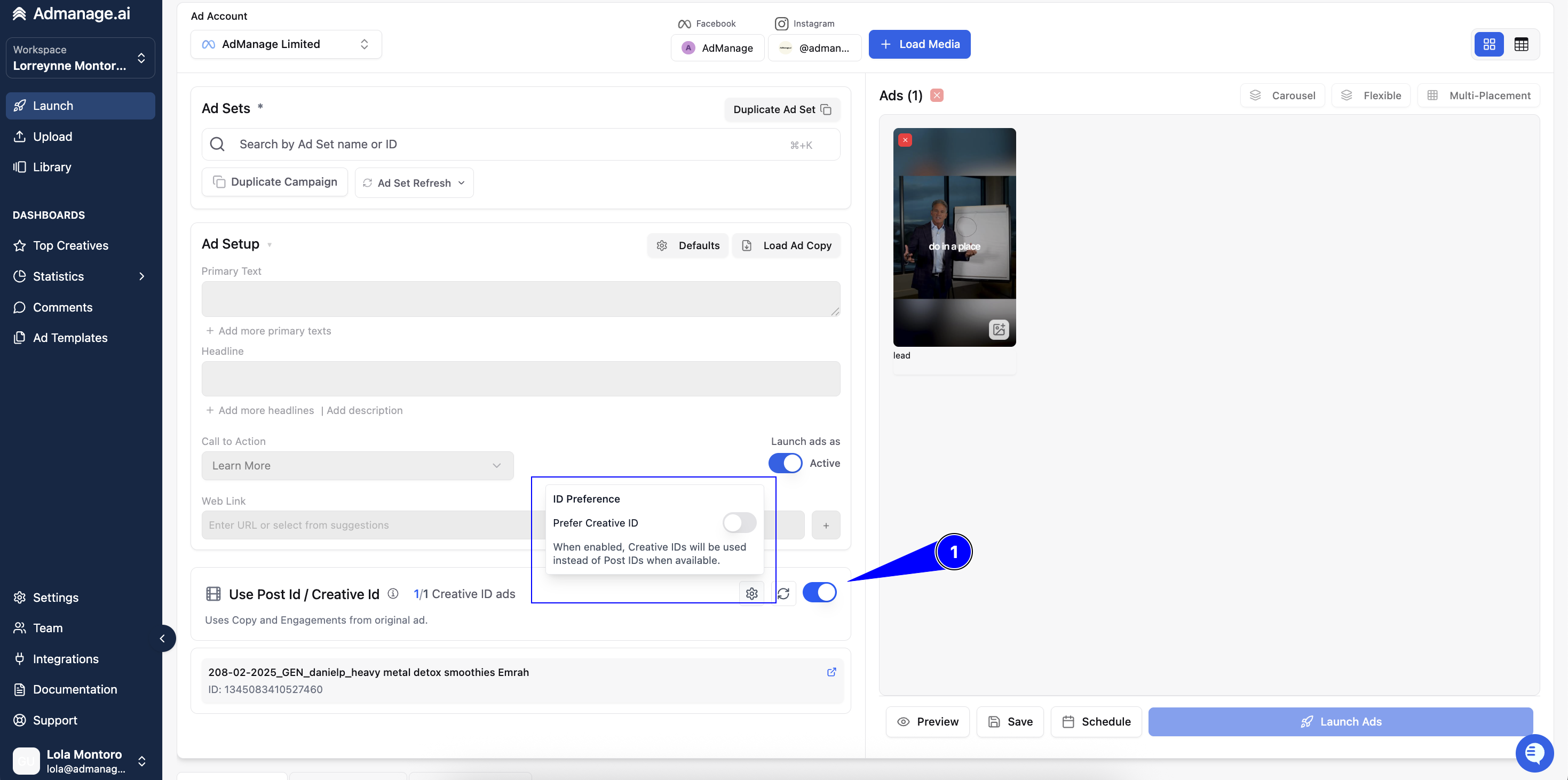
When you select an existing ad, AdManage.ai automatically ensures you keep the engagement:
The system automatically toggles on "Use Post ID" (or "Creative ID" for multi-format ads).
This is crucial: It tells Meta to use the original post, guaranteeing your relaunched ad retains all its comments, shares, and reactions.
Launch to New Targets
Select the new ad set(s) where you want the relaunched ads to run.
Click "Launch Ads".
Your successful creative is now running in its new placement, carrying all its hard-earned social proof!
Key Benefits and Important Considerations
Benefit | Description |
Maintain Social Proof | Relaunched ads keep all original engagement, which builds trust and can improve ad performance. |
Efficient Scaling | Easily launch your proven, winning ad to multiple new ad sets or campaigns at once for rapid scaling. |
Performance History | Excellent for graduating successful test creatives to long-term, evergreen campaigns while preserving their history. |
A Note on Editing the Ad Copy
Scenario | Action | Result |
Keep Social Proof | Do nothing. Keep the "Use Post ID" option toggled ON. | You cannot edit the ad copy, but you retain all engagement. |
Edit Ad Copy | Toggle OFF the "Use Post ID" option. | You can edit the copy, but this will create a brand new ad without any social proof. |
This feature is your shortcut to effective ad scaling, letting you focus on strategy while AdManage.ai handles the technical linkage!