Post ID vs. Creative ID: Choosing the Right Strategy
Last updated: January 2, 2026
When launching ads in AdManage.AI, preserving social proof (likes, comments, and shares) is key to building trust and lowering your CPAs. Our system uses two primary methods to handle this: Post ID and Creative ID.
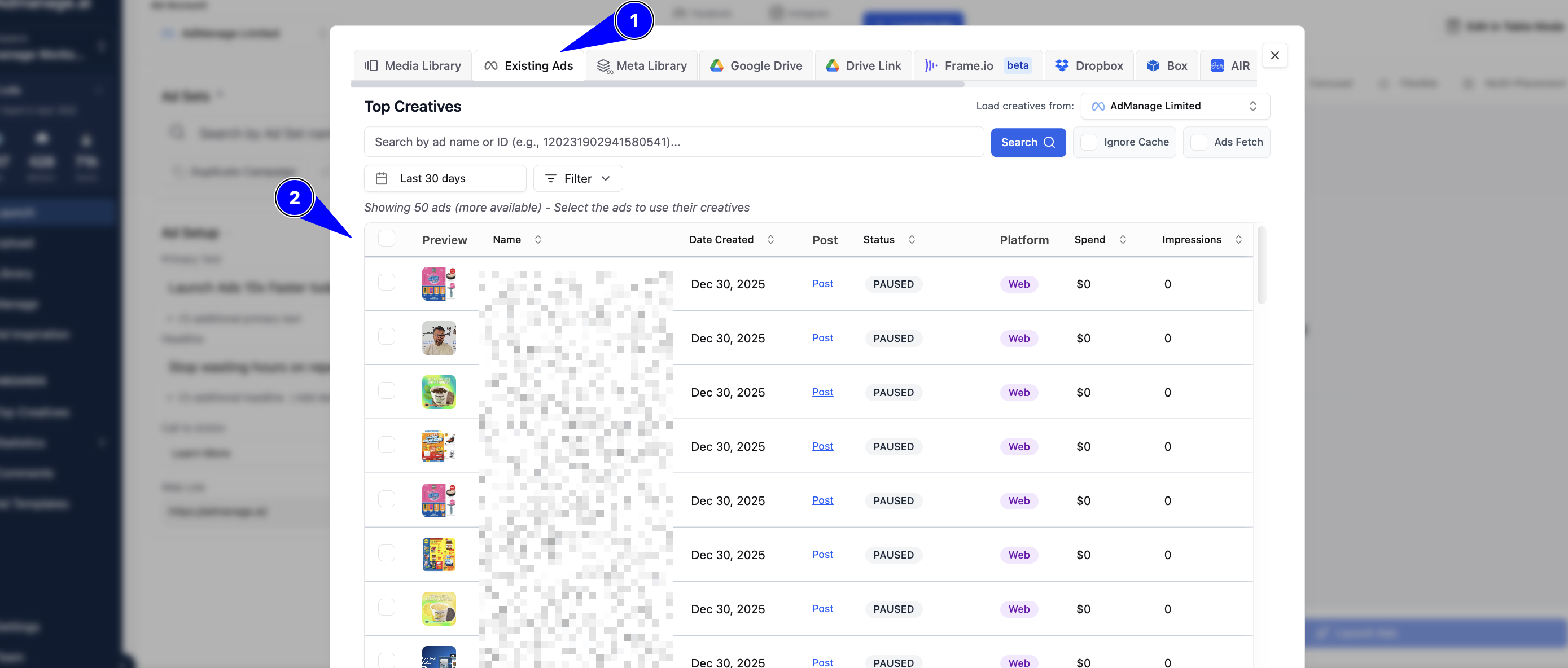
AdManage.AI automatically selects the best method based on your ad format, but understanding these differences can help you better optimize your campaign settings.
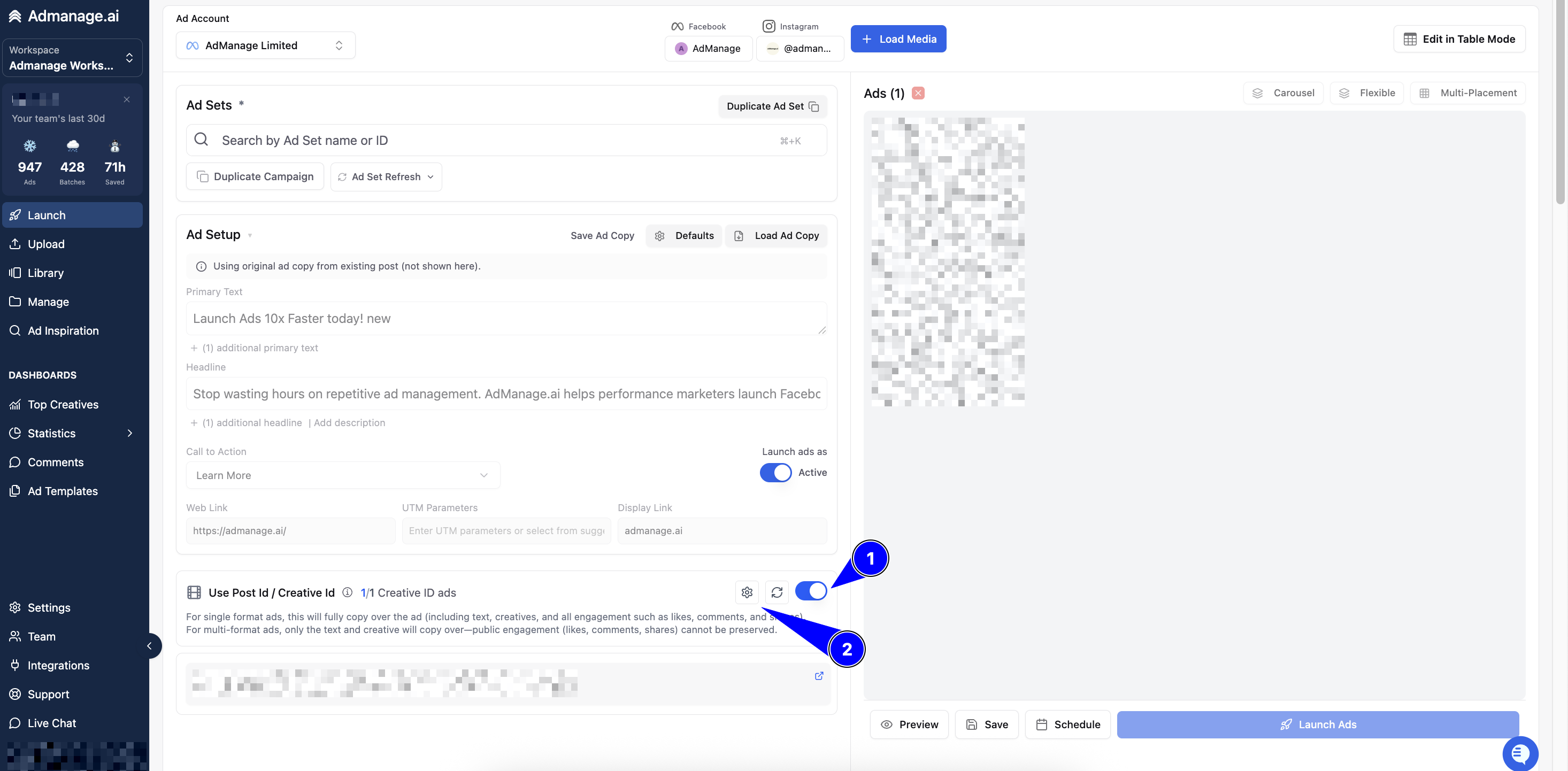
Comparison at a Glance
Feature | Post ID | Creative ID |
Platforms | Facebook Only | Facebook & Instagram |
Format Support | Single Format (e.g., 9x16 only) | Multi-Format (e.g., 9x16 + 1x1) |
Editing | No (Locked to original post) | Yes (More API flexibility) |
Engagement | Live sync to original post | Snapshot of engagement |
1. Platform & Format Support
Post ID: This is a Facebook-native feature. It is strictly limited to single-format ads. If your ad contains multiple aspect ratios (like a 9x16 for Reels and a 1x1 for Feed), Post ID will not work due to API limitations. It also does not preserve engagement on Instagram.
Creative ID: This is the modern standard for cross-platform campaigns. It works seamlessly across both Facebook and Instagram and is required for multi-placement ads that use different asset versions (flexible or placement-customized ads).
2. How Social Proof is Handled
Post ID (The "Live Post"): This method uses the actual original post. All new likes and comments gained on the ad appear on the original source post and vice versa. It keeps your social proof consolidated in one place.
Creative ID (The "Duplicate"): This functions similarly to Facebook’s "Duplicate" button. It creates a new version of the ad that copies existing engagement from the original. However, because it is a new instance, new engagement gained on the launched ad does not sync back to the original source post.
3. Technical Implementation & Editing
Post ID: Because you are referencing a "live" post, you cannot edit the ad copy. The text and media are locked to the original post’s state.
Creative ID: This method offers more flexibility via the API. It allows for a setup that preserves the creative structure while allowing for minor adjustments or use across different placement types.
Which one should I use?
In most cases, AdManage.AI will choose the appropriate method for you to ensure your ad successfully passes platform validation.
Use Post ID if you are running a simple, Facebook-only campaign and want 100% of the engagement to sync to one single post.
Use Creative ID if you are running modern, multi-placement ads (Instagram + Facebook) or using "Advantage+" and flexible ad formats.
Pro Tip: You can set your global preference for these methods within the AdManage.AI Settings menu to align with your scaling strategy.